Steps to apply a promo code
1
Check the promo code requirements
Some codes have minimum requirements or limitations for specific products.
2
Add products to your basket
Make sure all the items you want to purchase are in your basket.
3
Apply the promo code
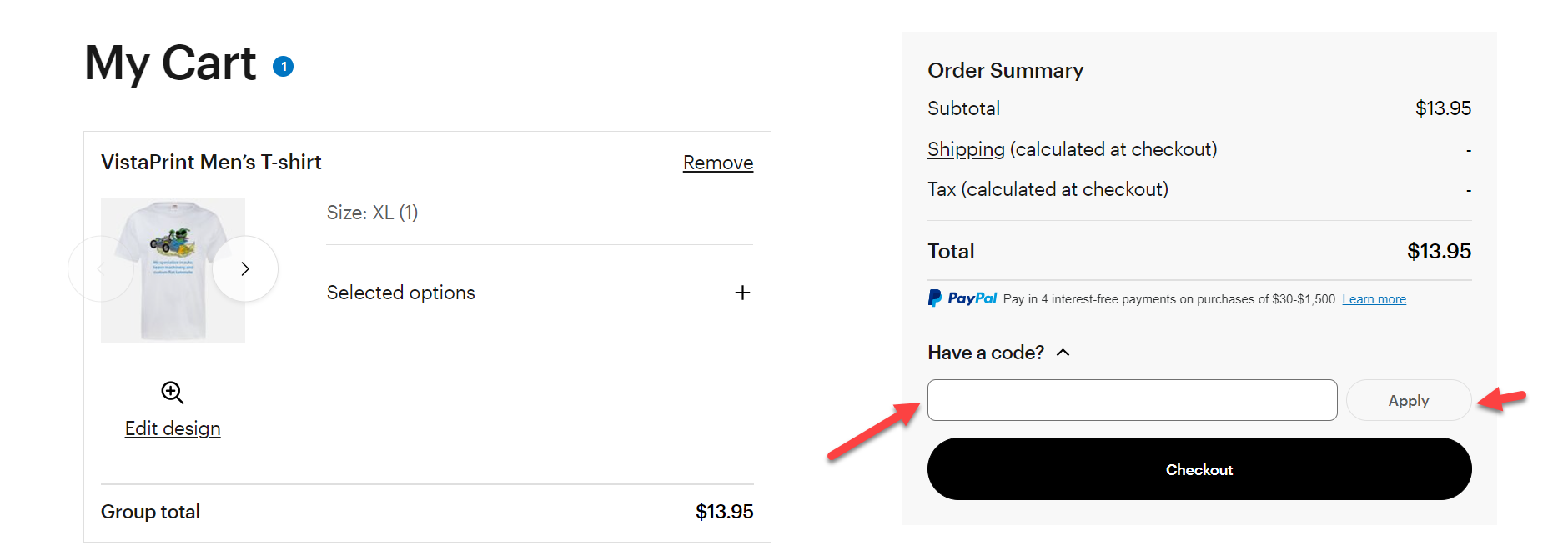
Select ‘Have a code?’, enter your promo code in the field, then select ‘Apply’.
4
Confirm the code was applied
The confirmation message ‘Code applied successfully’ appears, and the discount is reflected in your order summary.
5
Review the total price
Before you submit your order, make sure the final price reflects your promotion. If it doesn’t, contact us and we’ll help you figure it out.
Troubleshoot errors
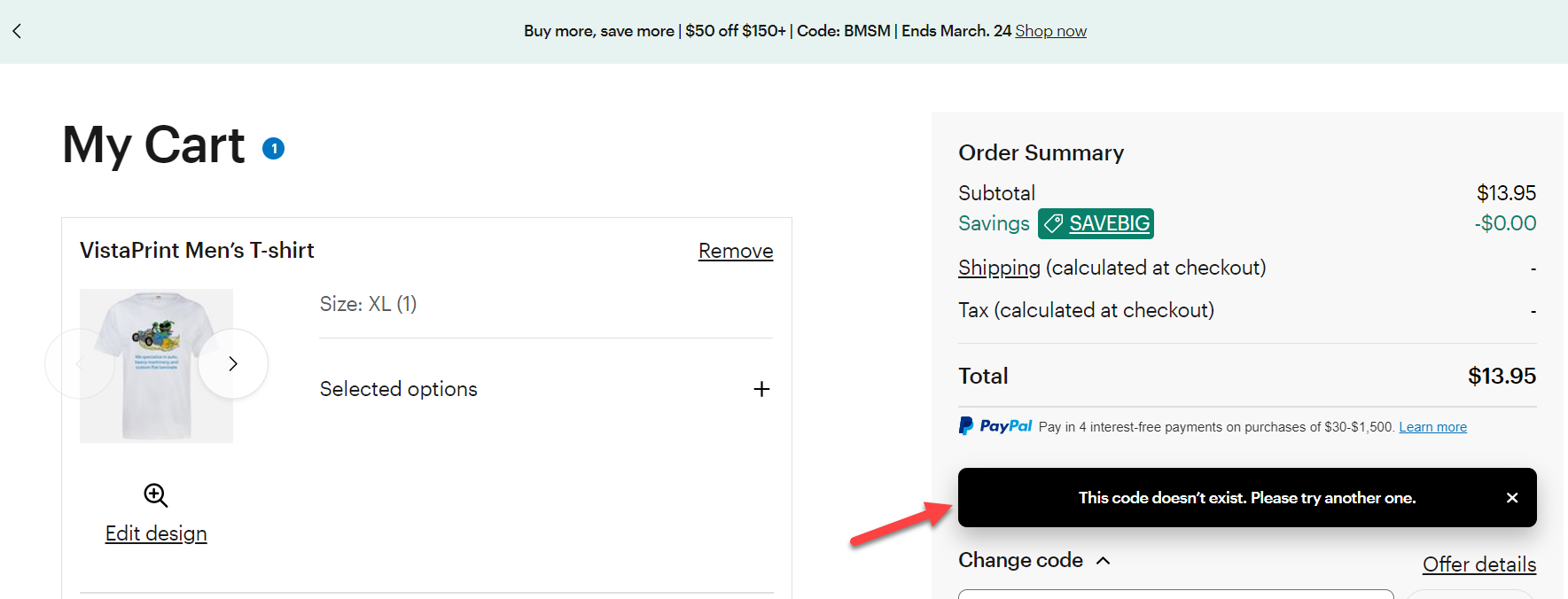
If your promo code isn't working, you'll find a message in the basket explaining why.