
How do I upgrade my free website?
Last updated 17 June 2026.
Guide
You can upgrade your free website from your digital dashboard.
1

Open your digital dashboard

Go to My Account and select Websites & Digital.

2

Access site options

Find the website you want to upgrade, open the three-dot menu in the top right corner and select Upgrade.
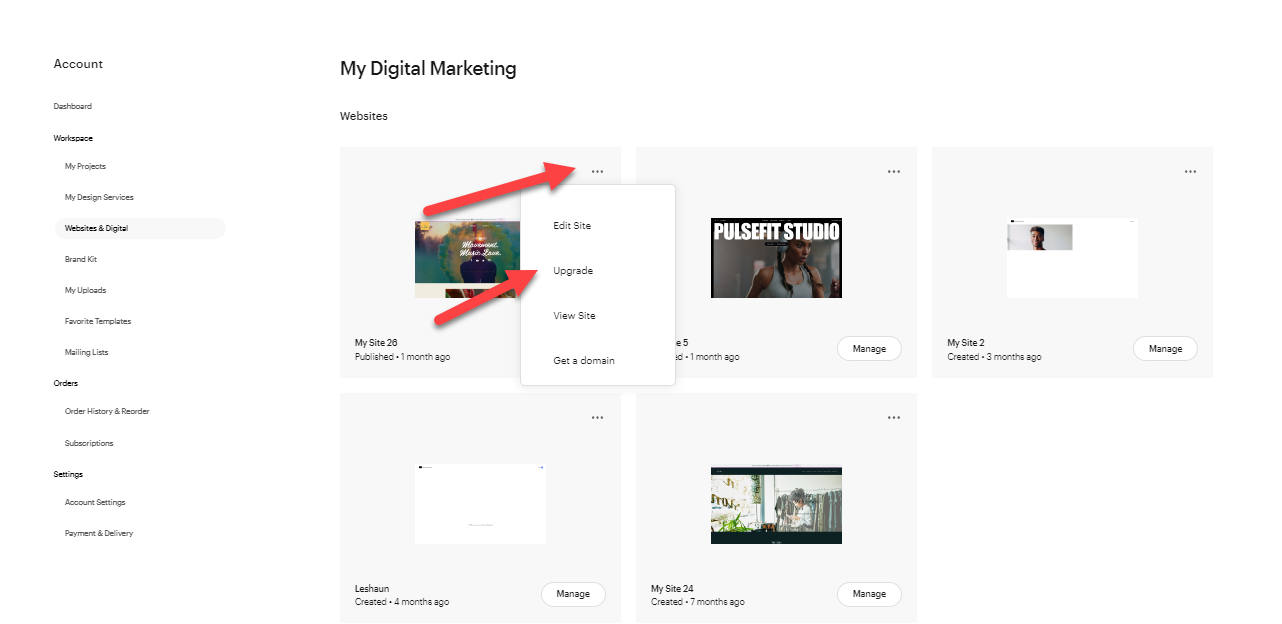
My digital marketing page with a list of websites. The three-dot menu for one website is open and Upgrade has been selected.
3

Select a plan

Compare the available plans and select Choose plan for the option you want.
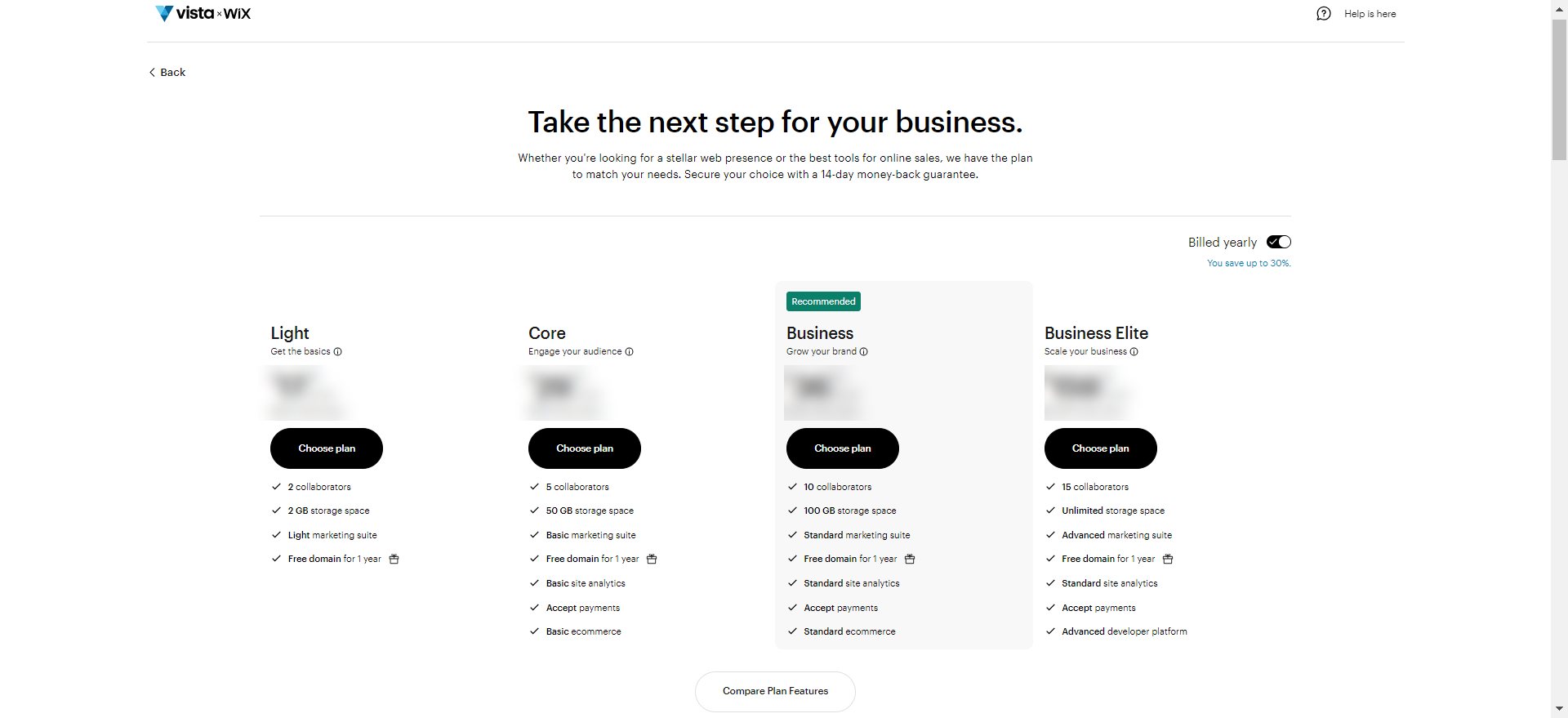
Overview of available website plans with details of each plan and a Choose plan option for each.
4

Set your billing

Pick your preferred billing cycle and select Continue. 
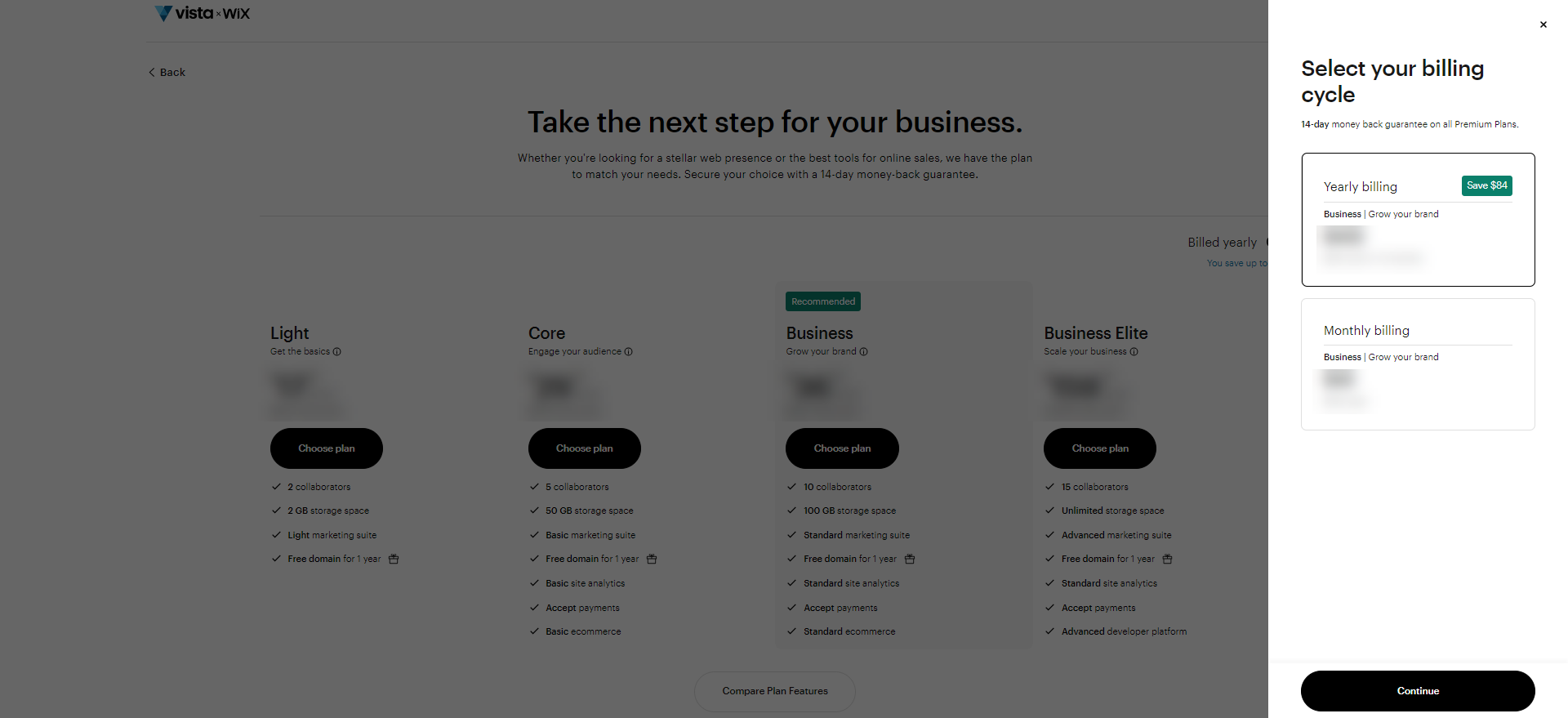
Option to select yearly or monthly billing
5

Complete your purchase

With the new plan now in your shopping basket, continue to Checkout and fill in your billing details.
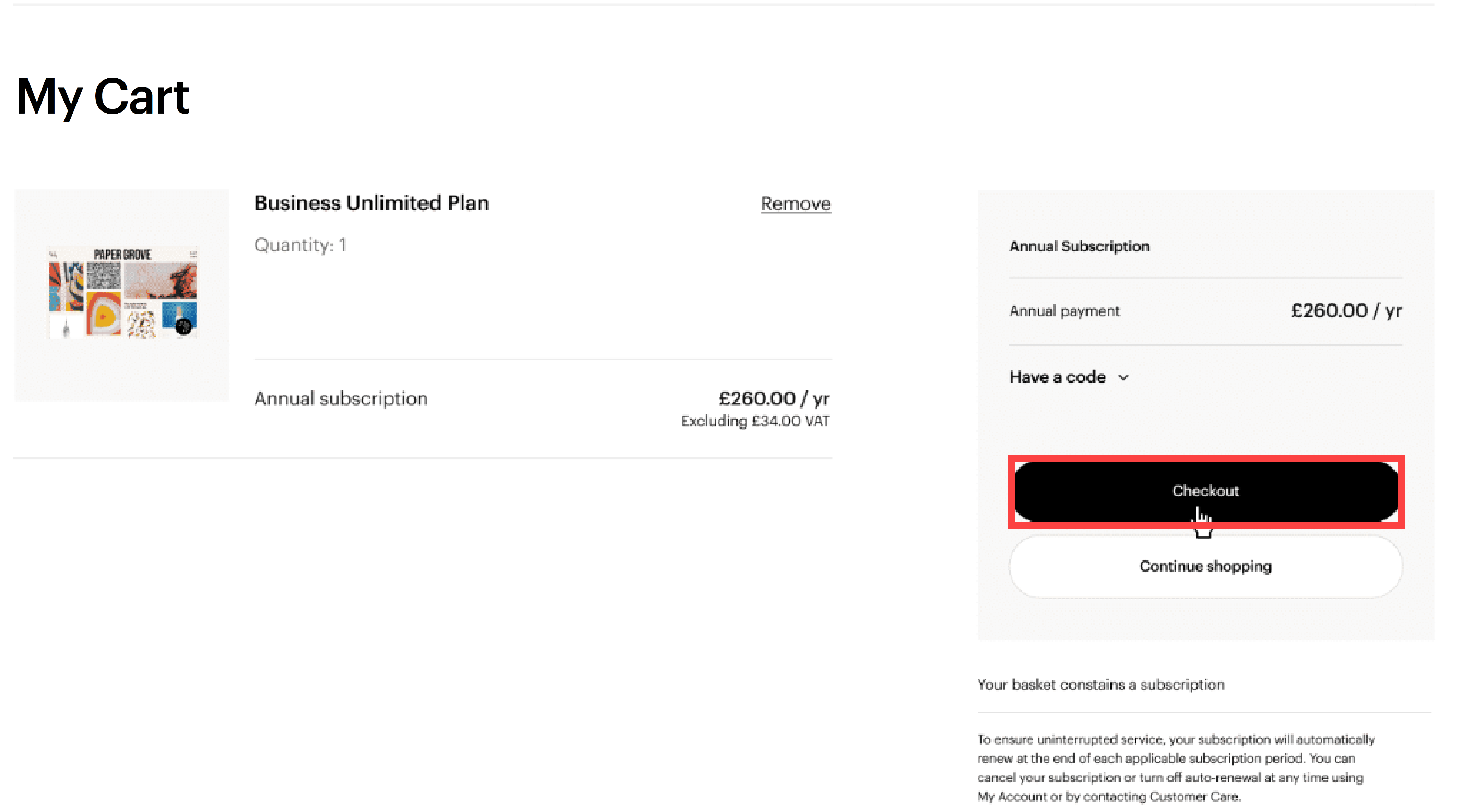
VistaPrint shopping basket with a Website plan and the Checkout button highlighted.

Was this article helpful?
Learn how we use your feedback

Connect live with Customer Support

Need help?

Contact Us
