
Where do I enter my promo code?
Last updated 16 June 2026.
Guide
You can enter your promo code in your basket by selecting Have a code? above the Checkout button.

How to apply a promo code

1

Add items to your basket

Add the products you want to purchase to your basket. 

2

Open the promo code field

In the basket, select Have a promo code? to display the promo code field. 
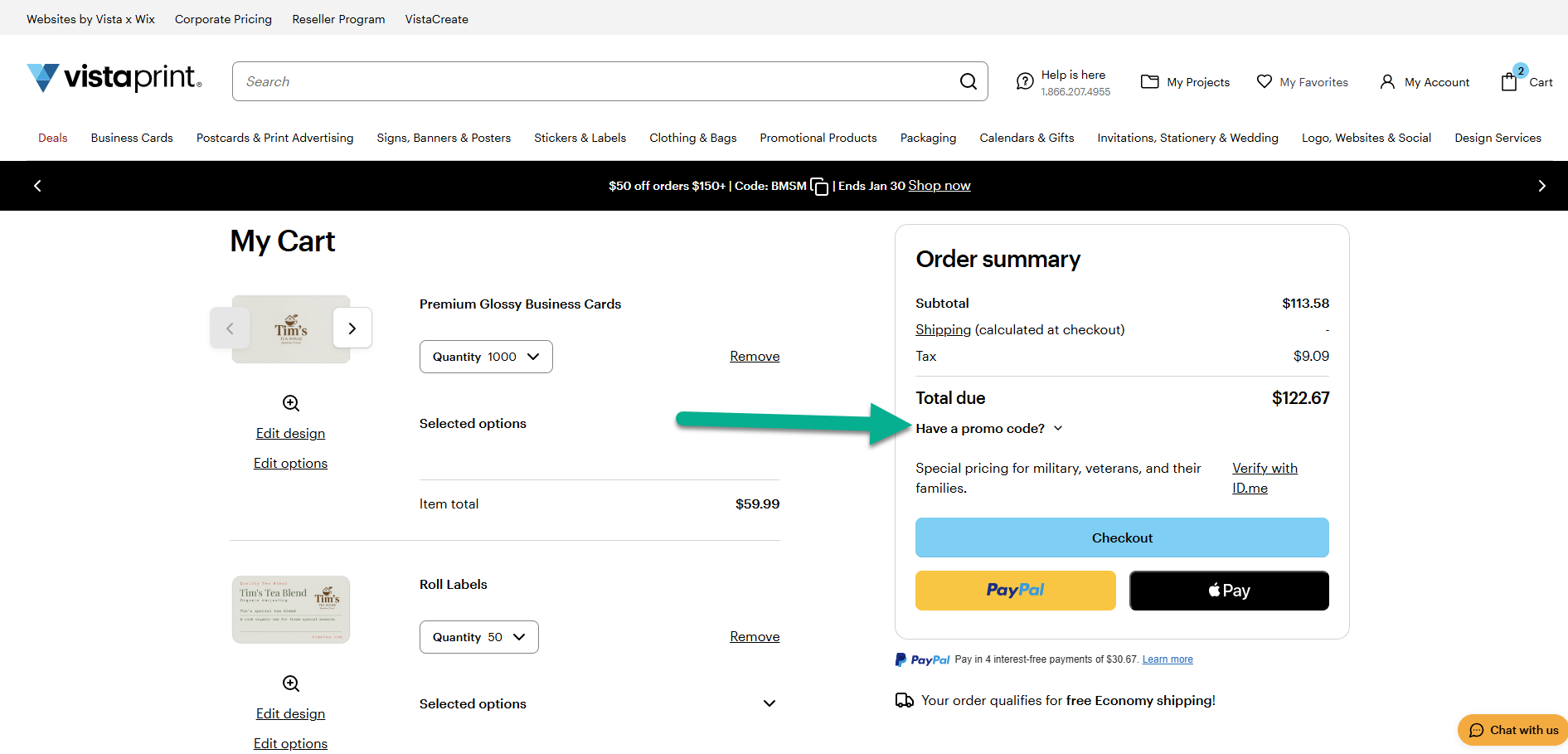
Promo code field opened in the basket after selecting ‘Have a code?’
3

Apply your promo code

Enter the promo code and select Apply to use it on your order. 
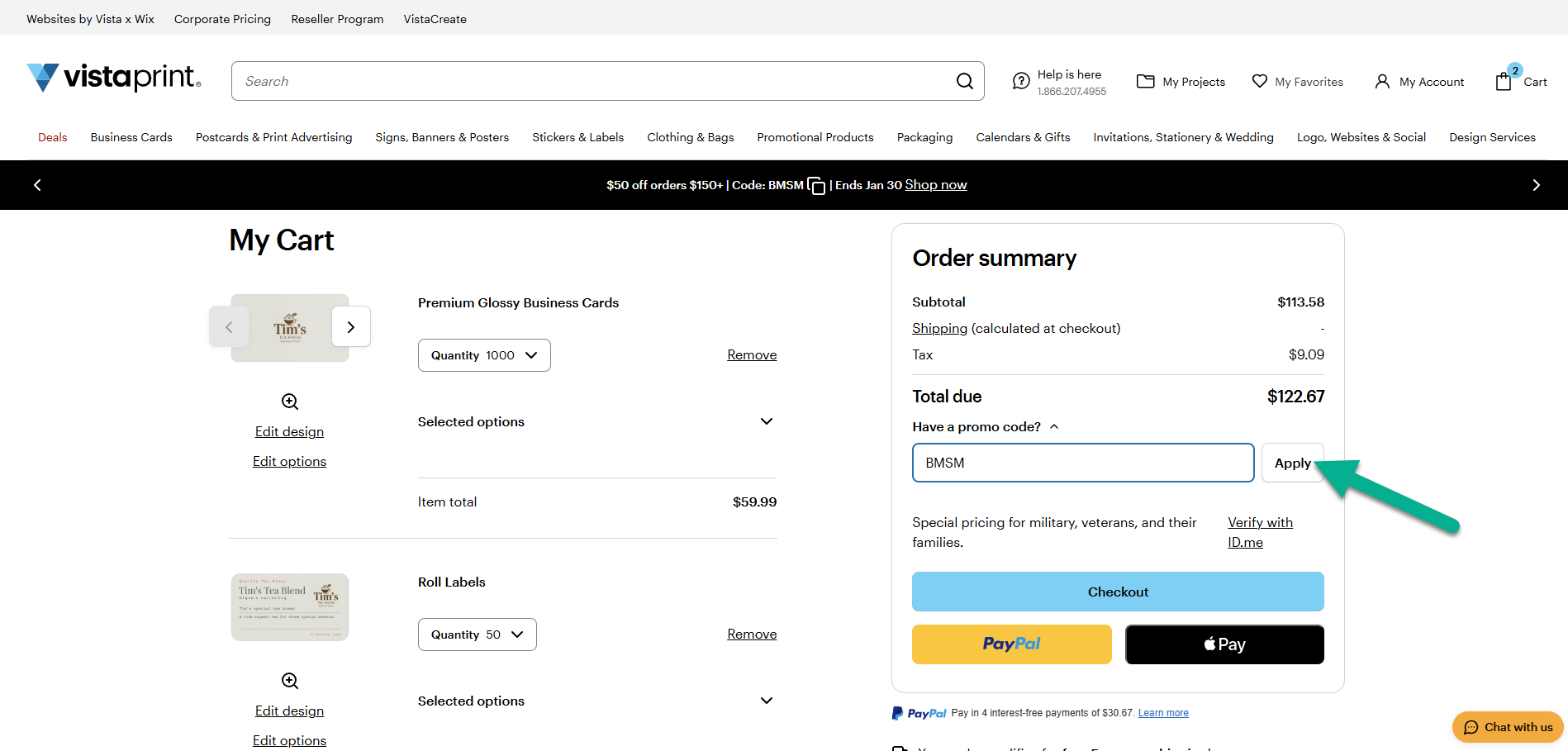
Promo code entered and applied in the basket summary.
4

Review the promo code details

Select the applied promo code to read more about the offer. 
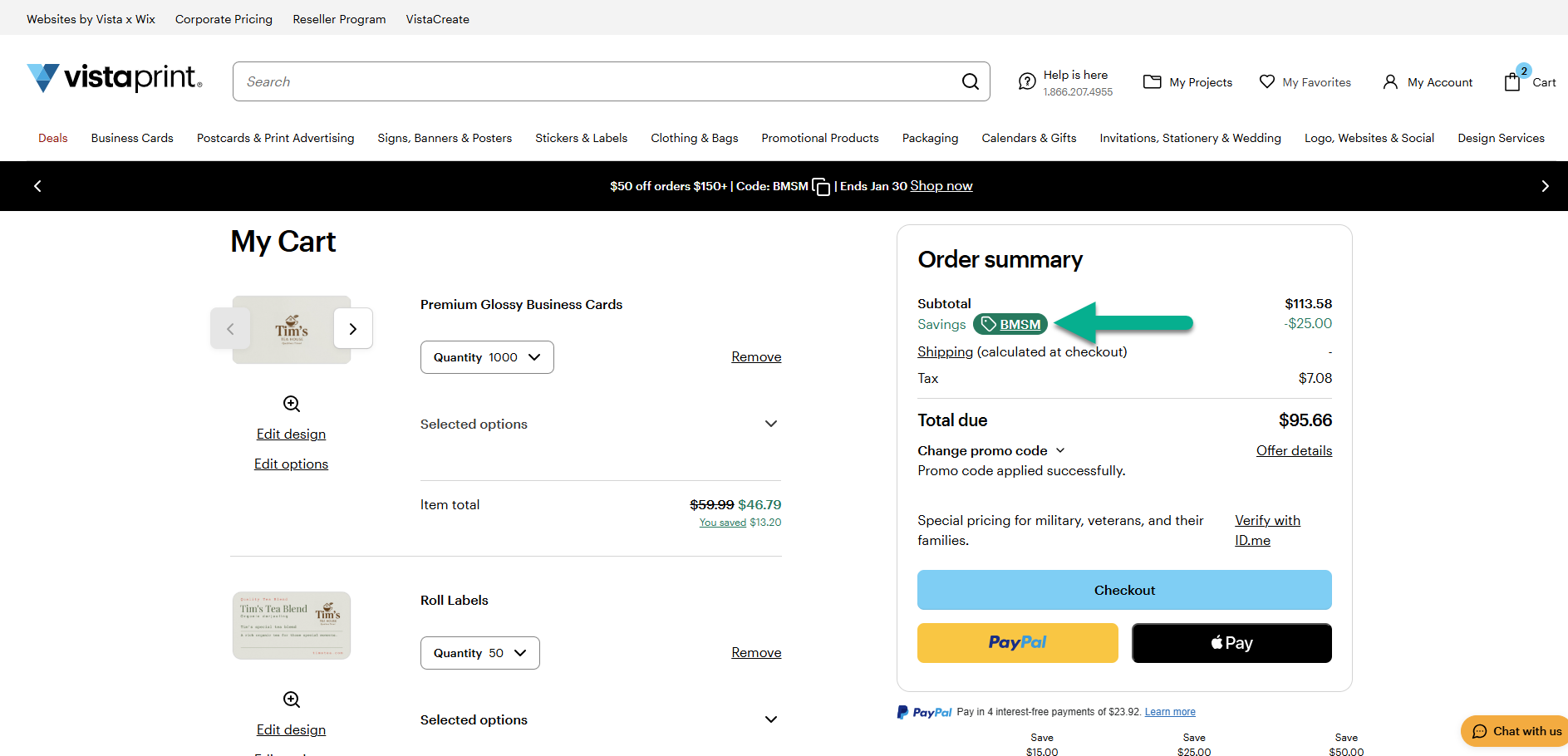
Applied promo code shown in the basket with discount details.

Was this article helpful?
Learn how we use your feedback

Connect live with Customer Support

Need help?

Contact Us
