

Update your personal account details
You can update your name, email address and password in your account settings.
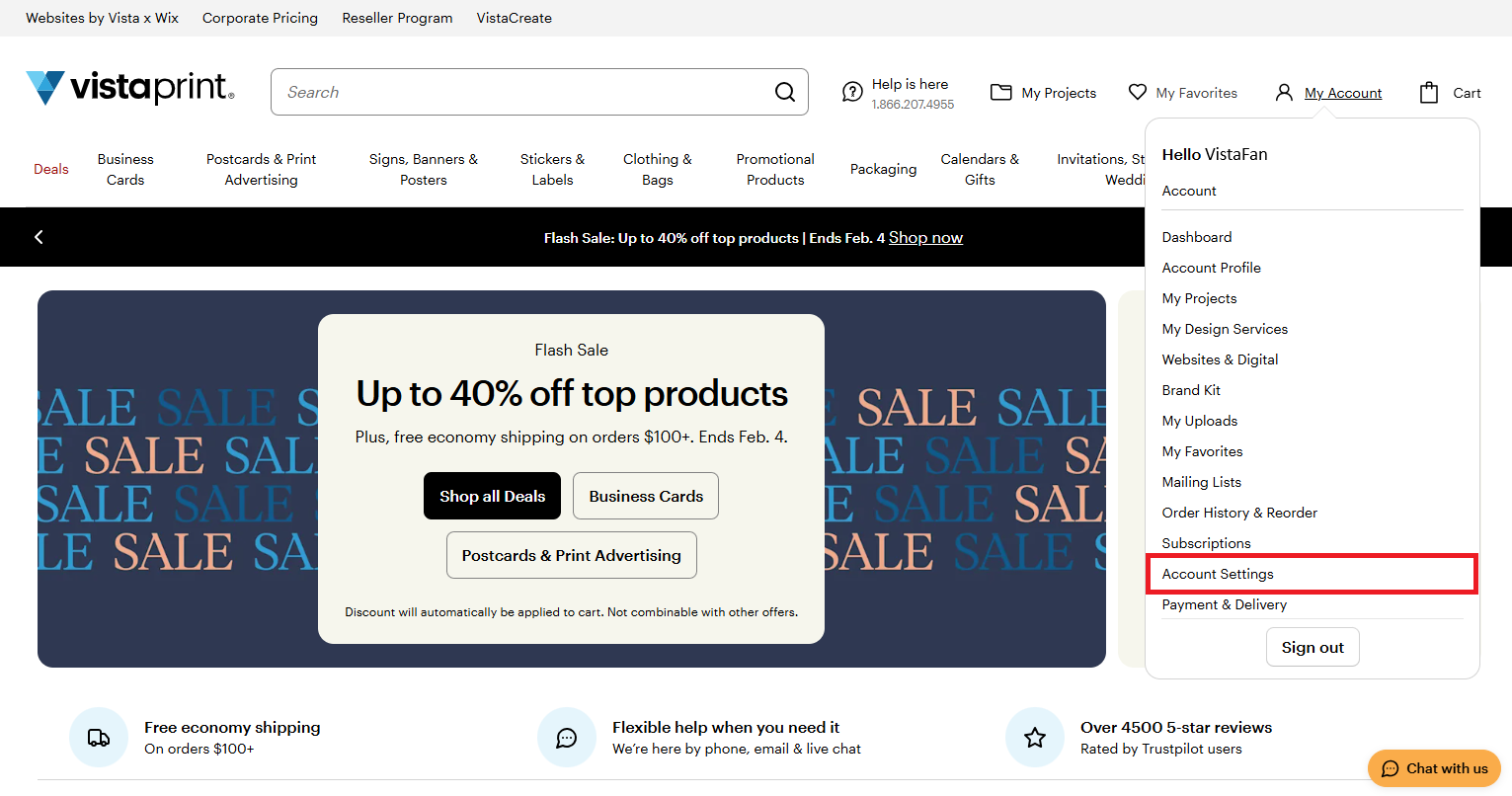
Go to My Account (person icon), then select Account Settings. If you aren't signed in, you'll be prompted to do so.
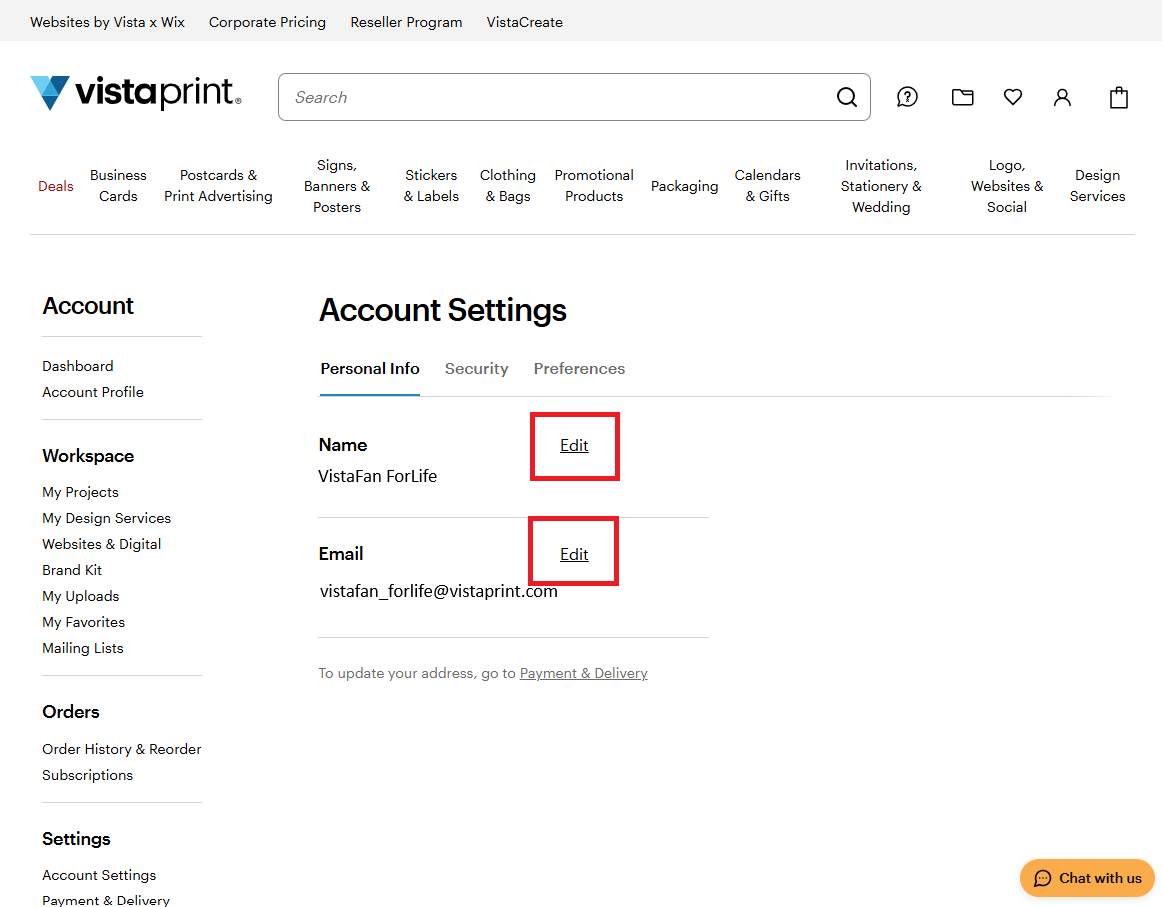
Select Edit next to your account details.
Update your information and save your changes.
Update your delivery information
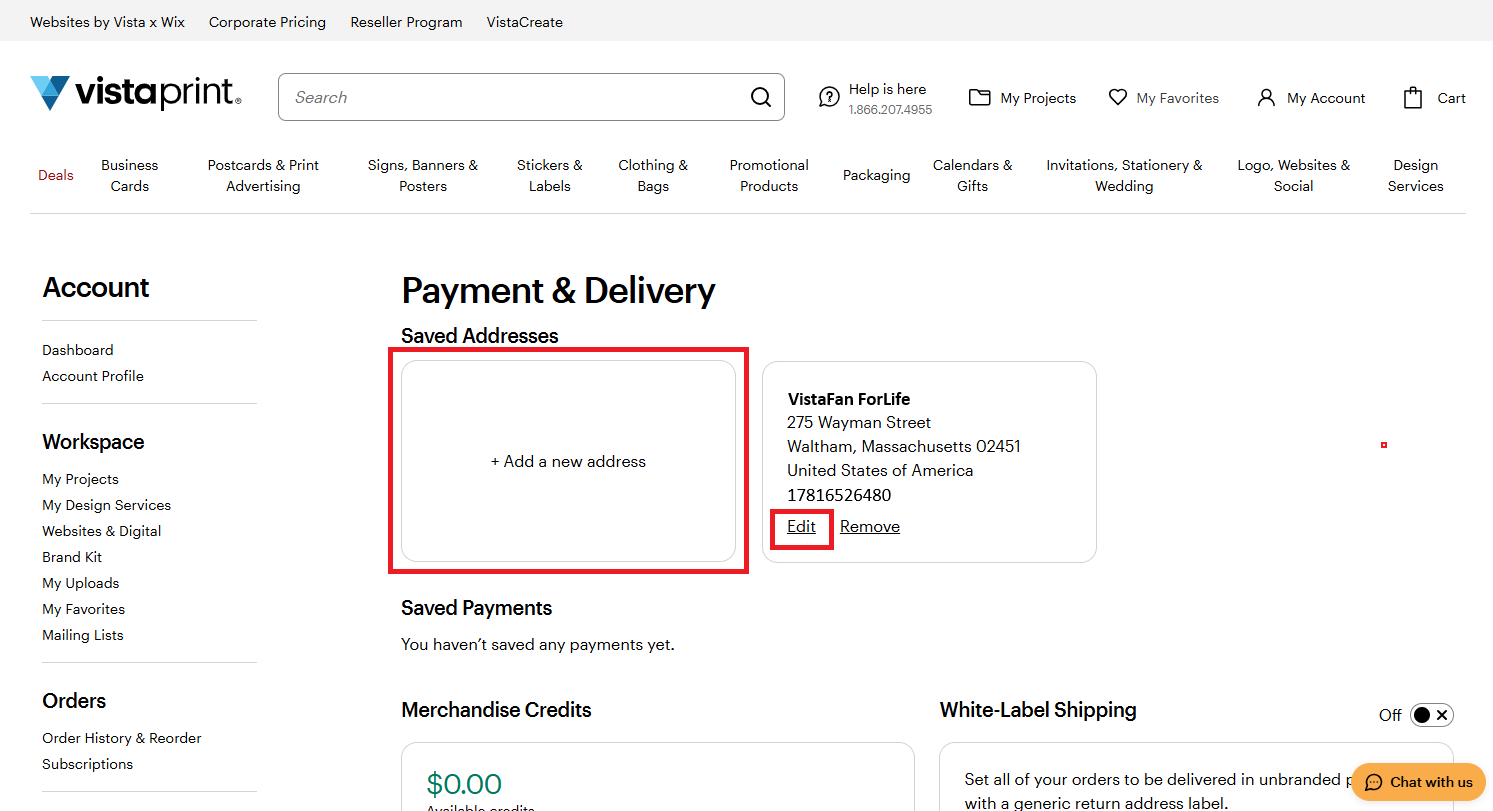
For future orders: You can update your delivery information
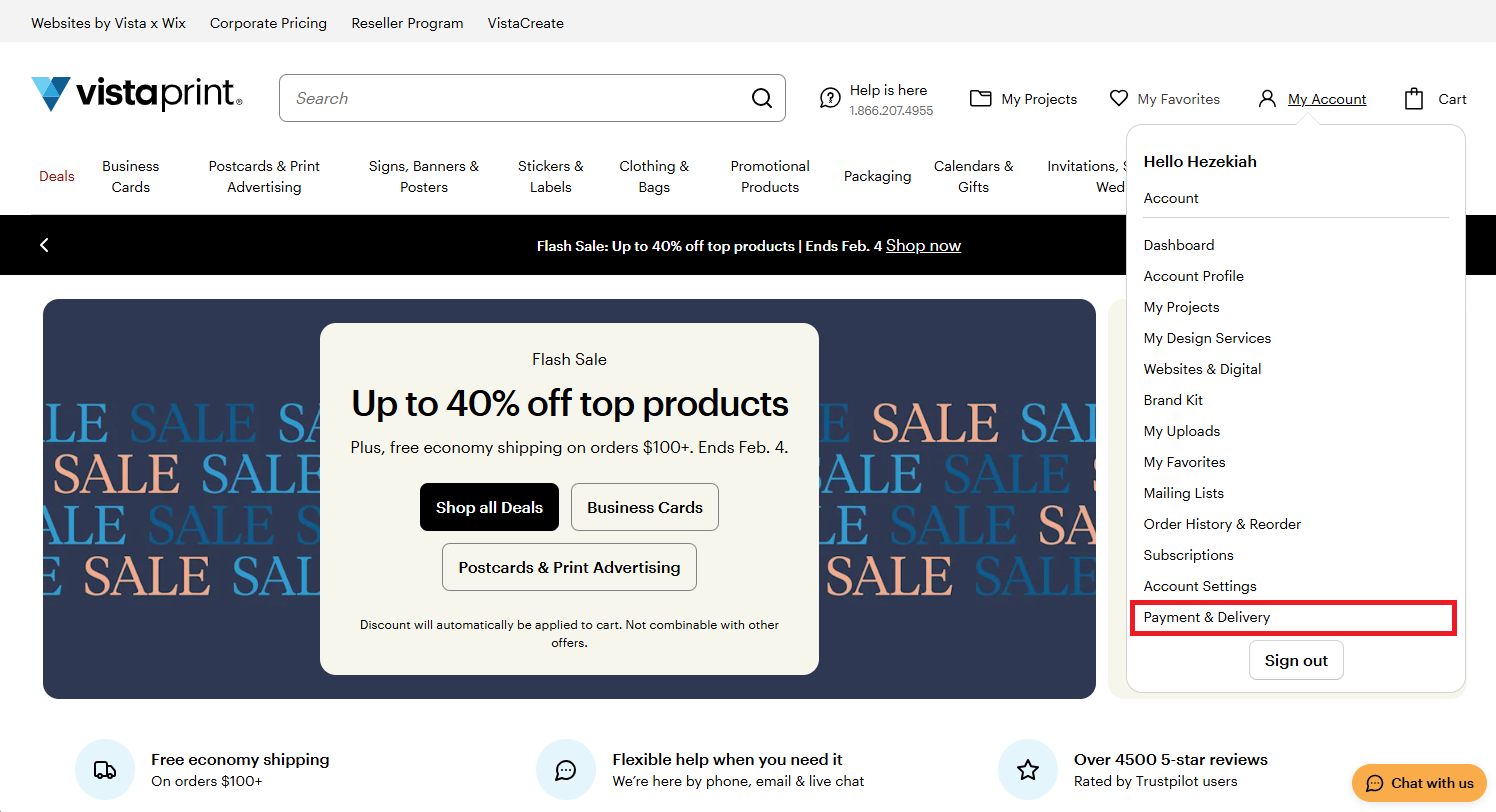
under My Account, select Payment & Delivery before placing your next order.
on Checkout when placing your next order.
For orders already placed: Contact our Customer Support team as soon as possible if you need to change the delivery address for an order you’ve already placed. Note: Changes may be limited depending on the order status.
Update your billing information
For future orders: Billing details, including your payment method, can be updated during checkout when placing a new order.
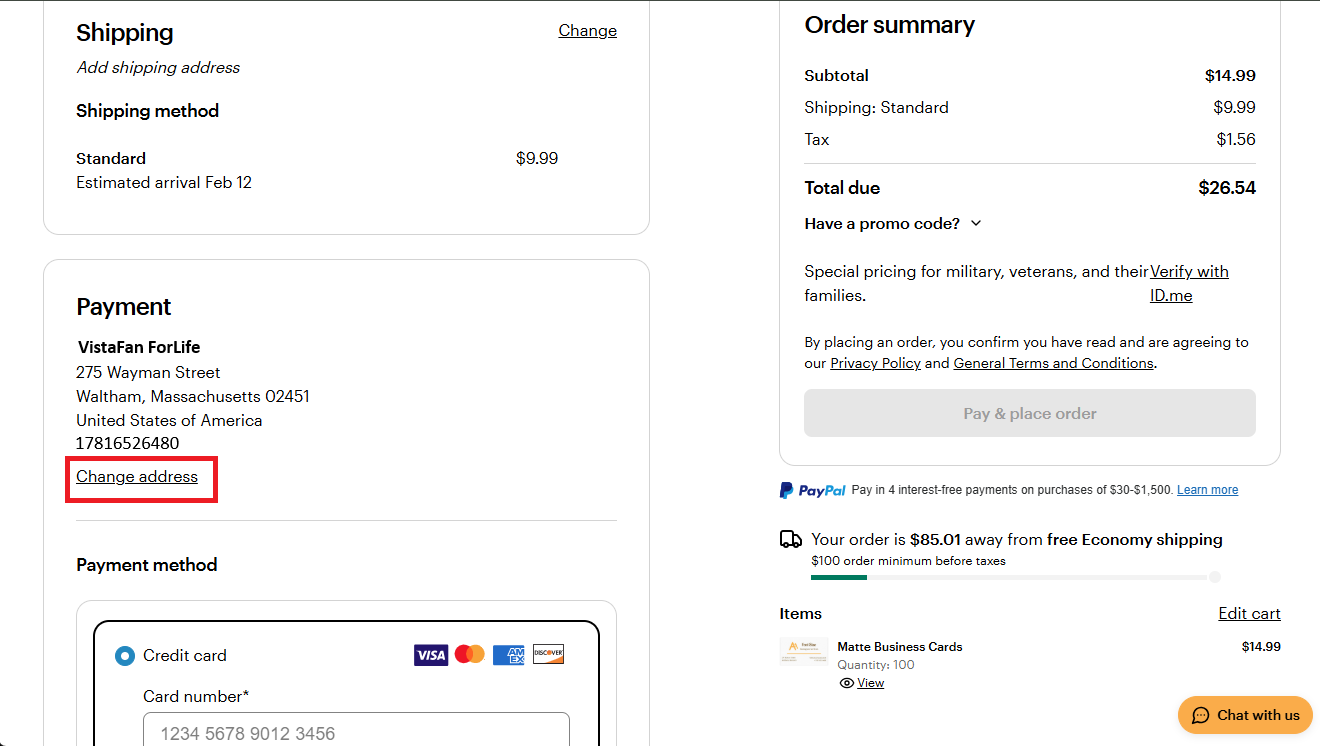
For orders already placed: Billing information for completed orders can’t be changed, since the order has already been processed.

