
Which paper stock is available for each printed product?
Last updated 16 June 2026.
Guide
Paper stock options vary by product. You can find and compare all available materials directly on each of our product pages.

How to find available paper stocks

To find information about available paper stock options, follow these steps:

1

Find the product you want to order

Head to the product page for the specific product you want to order. 

2

Open the product options gallery

On the product page, select Product Options to open the gallery of different product options and paper stocks. 
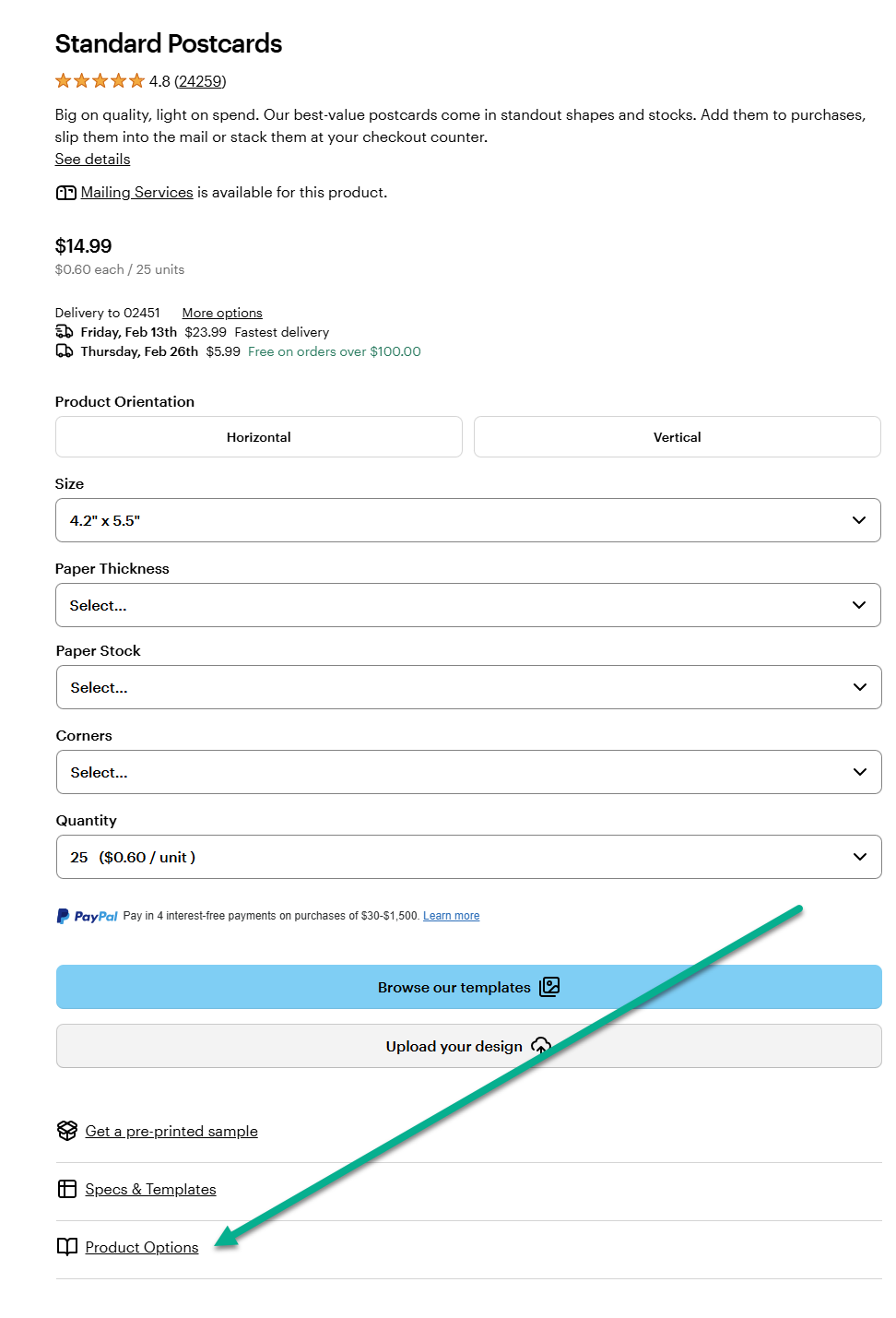
Standard Postcards product page on VistaPrint highlighting the Product Options link beneath the design and quantity selectors.
3

Explore the available paper stock types

In the product options overview, you will find descriptions of each of the available paper stocks as well as close-up images of each stock.
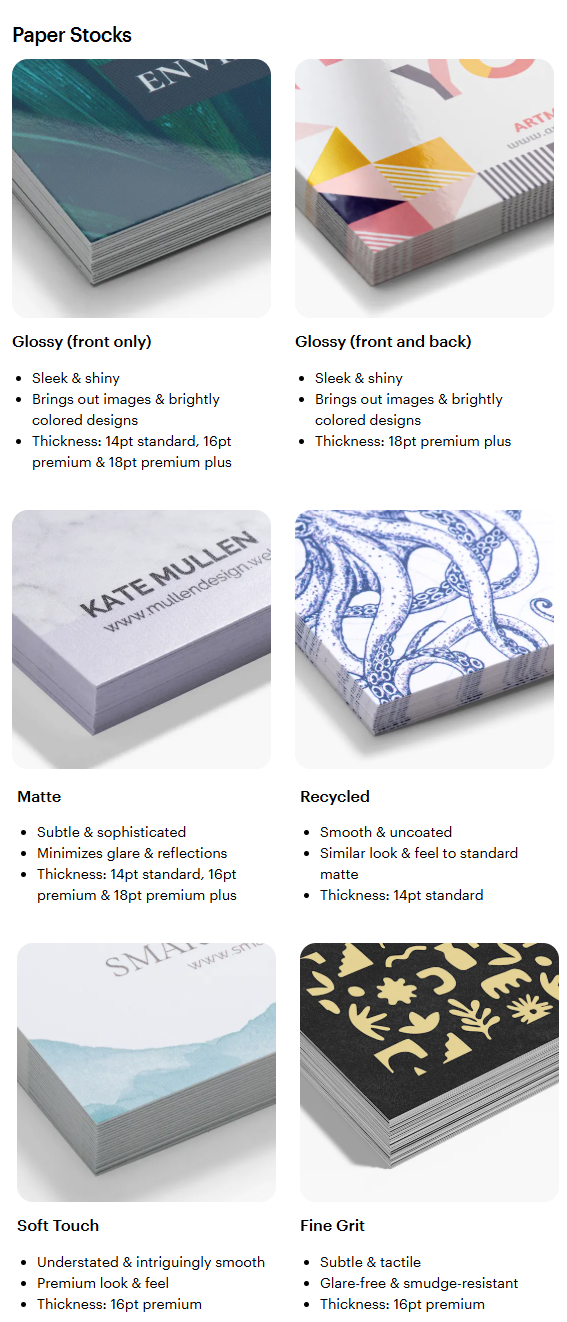
Overview of paper stock options with descriptions and sample close-up images of each paper stock.
Learn more about choosing the right paper stock for your project.

Was this article helpful?
Learn how we use your feedback

Connect live with Customer Support

Need help?

Contact Us
