
How do I review my Design Services request?
Last updated 17 June 2026.
Guide
Select View my designs in your notification email or in My Design Services to review your design, request revisions or approve it for print.

Steps to review a design 

1

Go to My Design Services

Sign in to your VistaPrint account, then go to My Account and select My Design Services. 
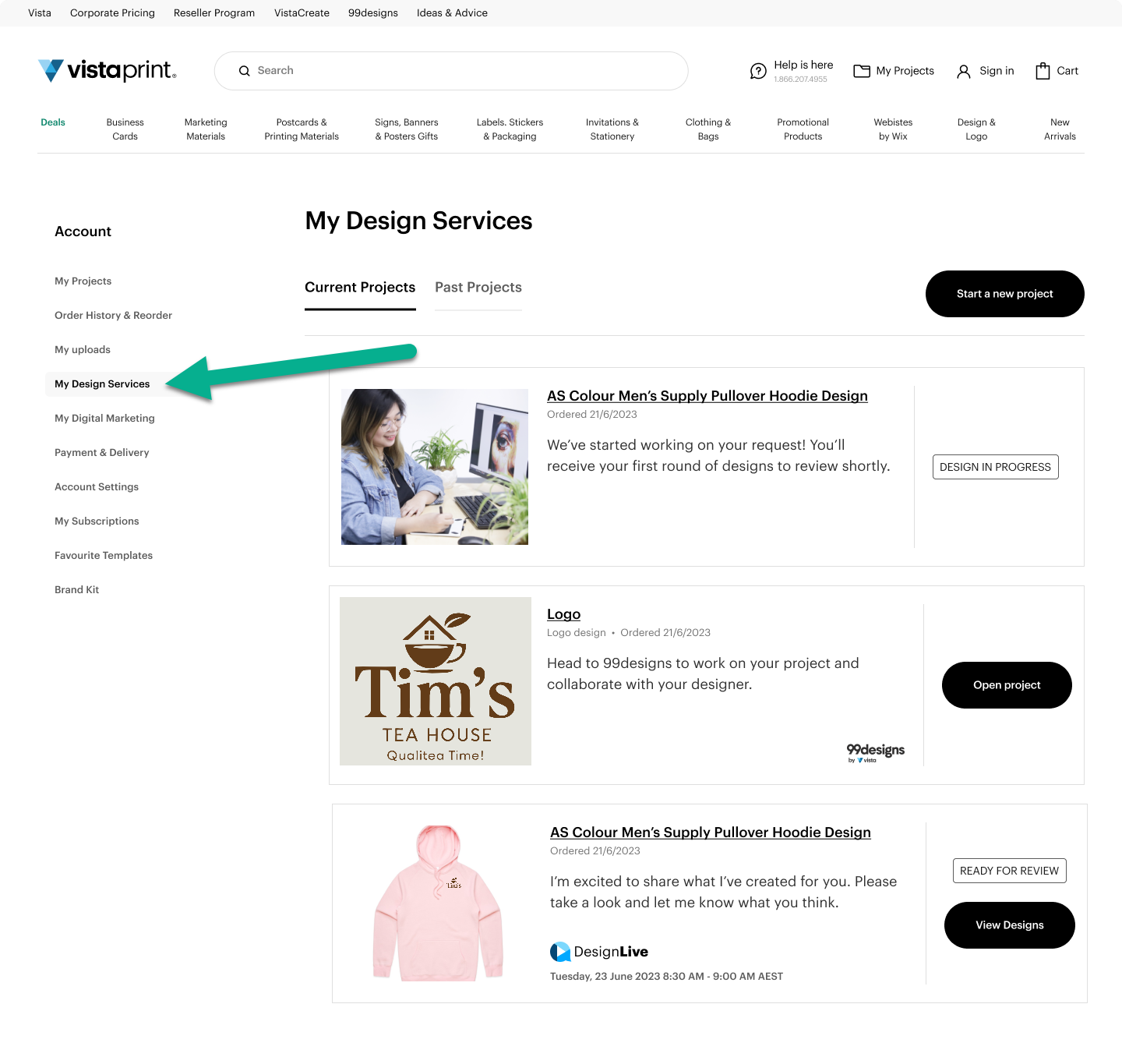
My Design Services page showing project status cards, with an arrow pointing to the My Design Services sidebar menu link.
2

Find your project

Identify the project card displaying the Ready for Review status badge.

3

Open your design

Select View Designs to review your concepts, request revisions or approve the final art.
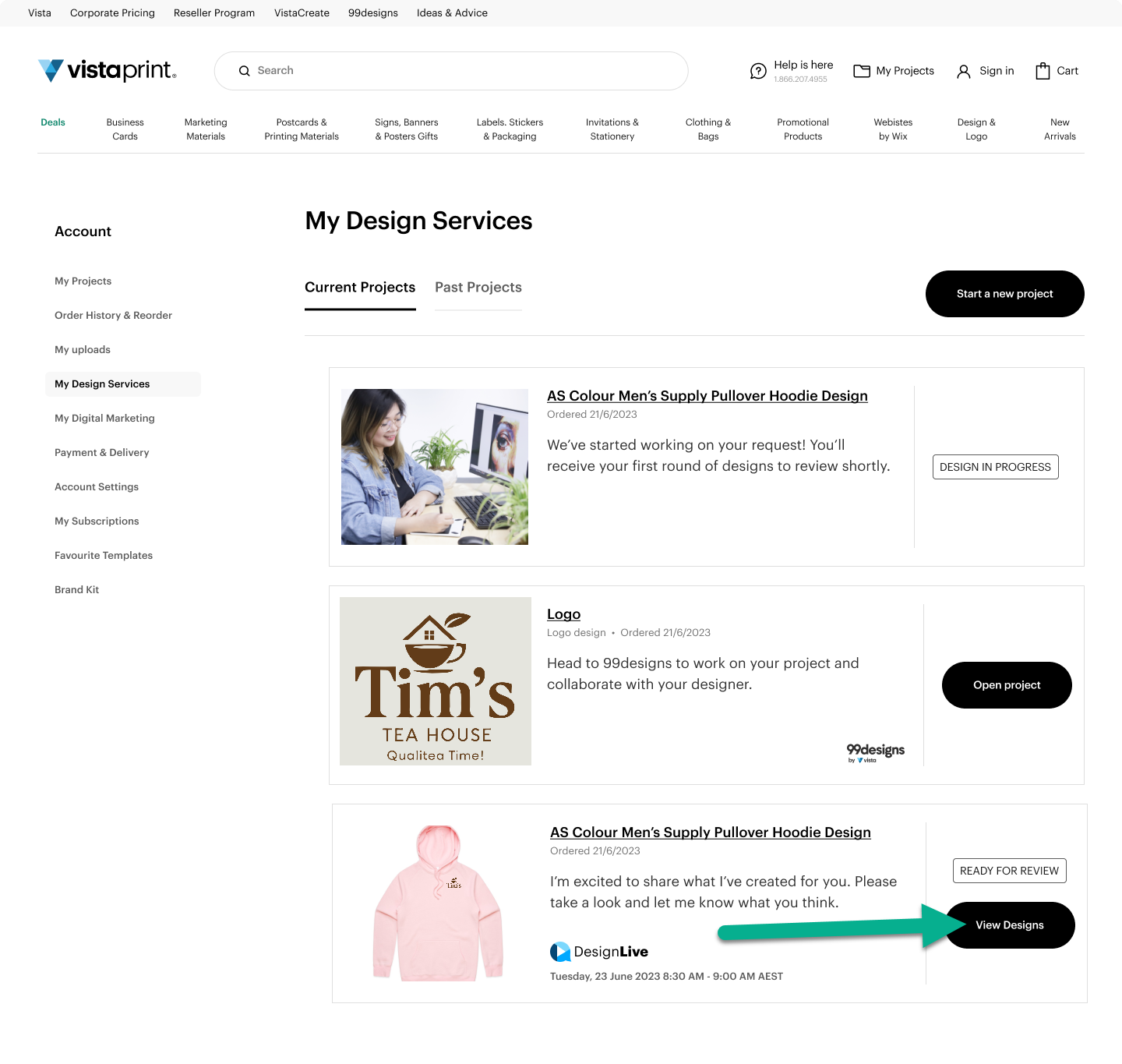
My Design Services page with a list of projects; an arrow points to a black View Designs button for a design.

You can also review the design directly from the notification email you receive when your design is ready. Select View my designs to open the project in My Design Services.
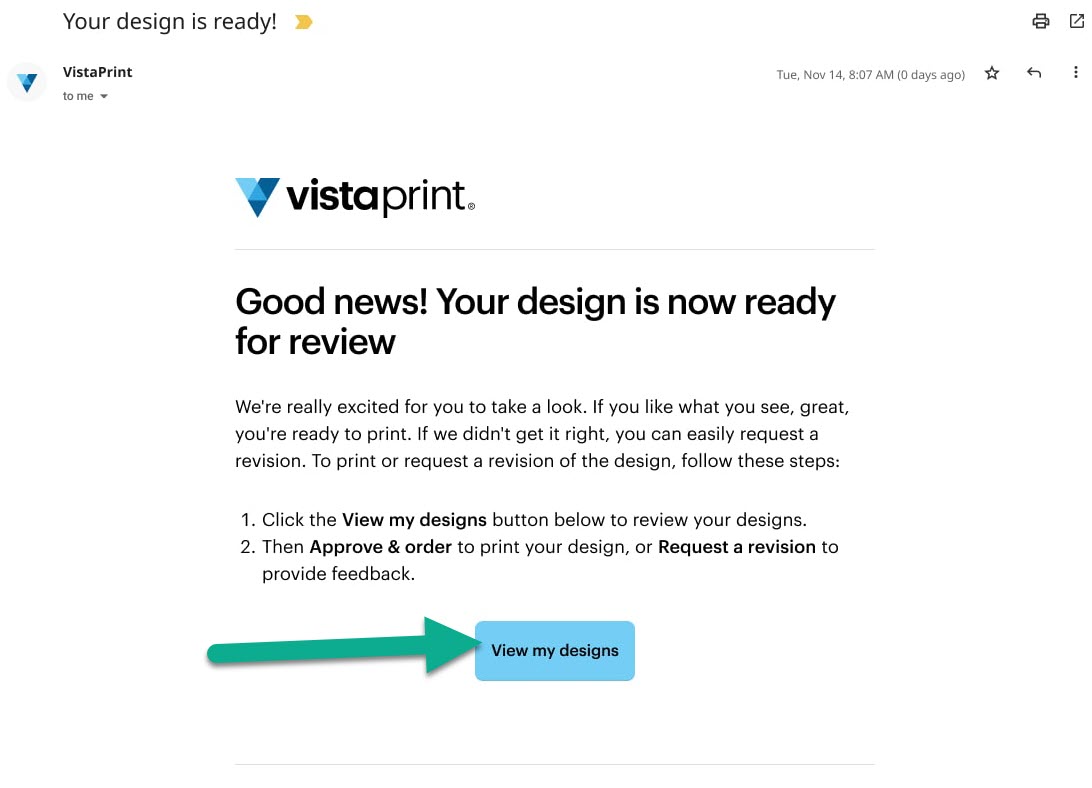
Email notification titled ‘Good news! Your design is now ready for review’ with an arrow pointing to a View my designs button.

Was this article helpful?
Learn how we use your feedback

Connect live with Customer Support

Need help?

Contact Us
