

Steps to update your email preferences
1
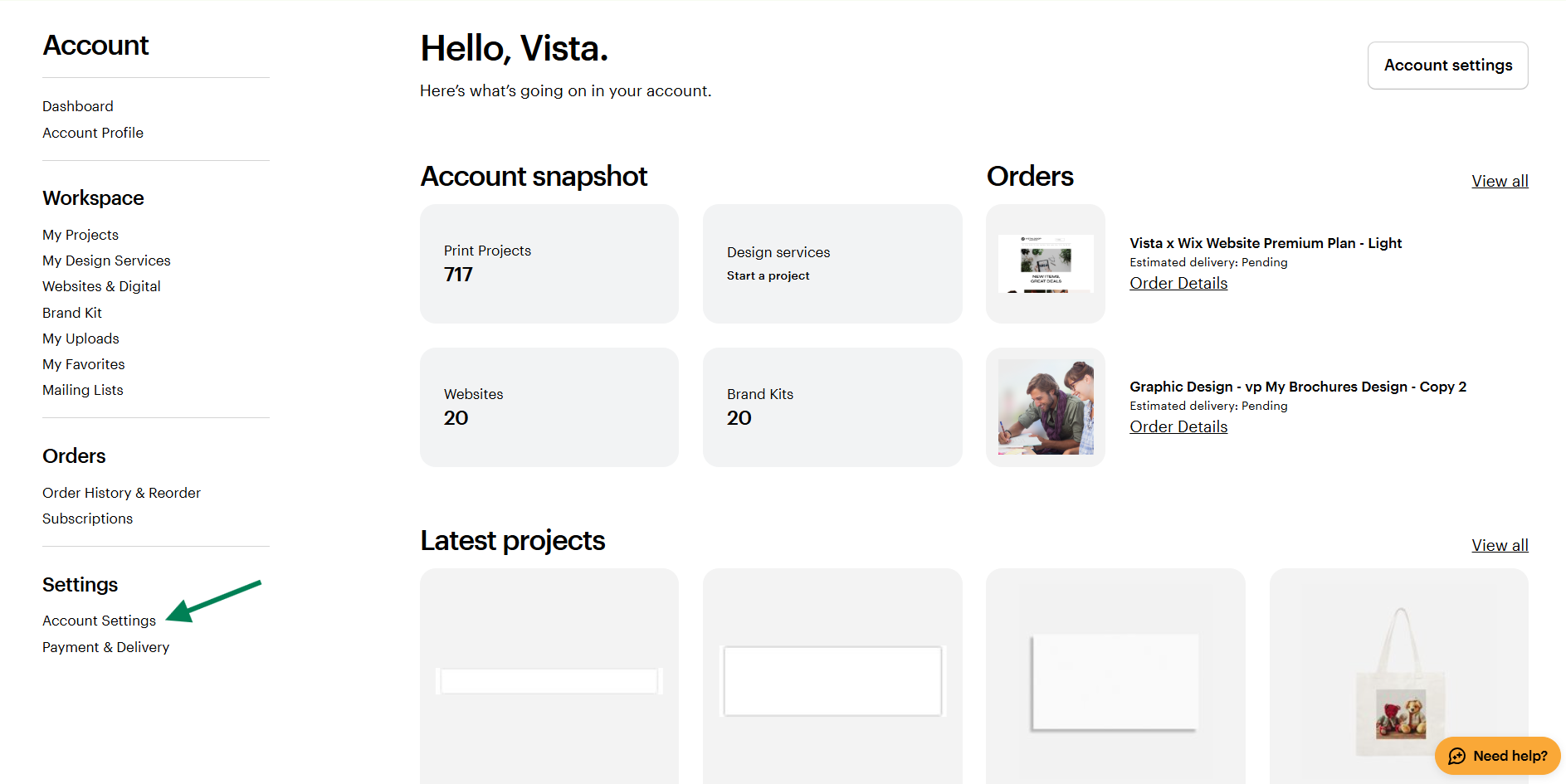
Open your account settings
Sign in to your account and go to My Account, then select Account Settings.
2
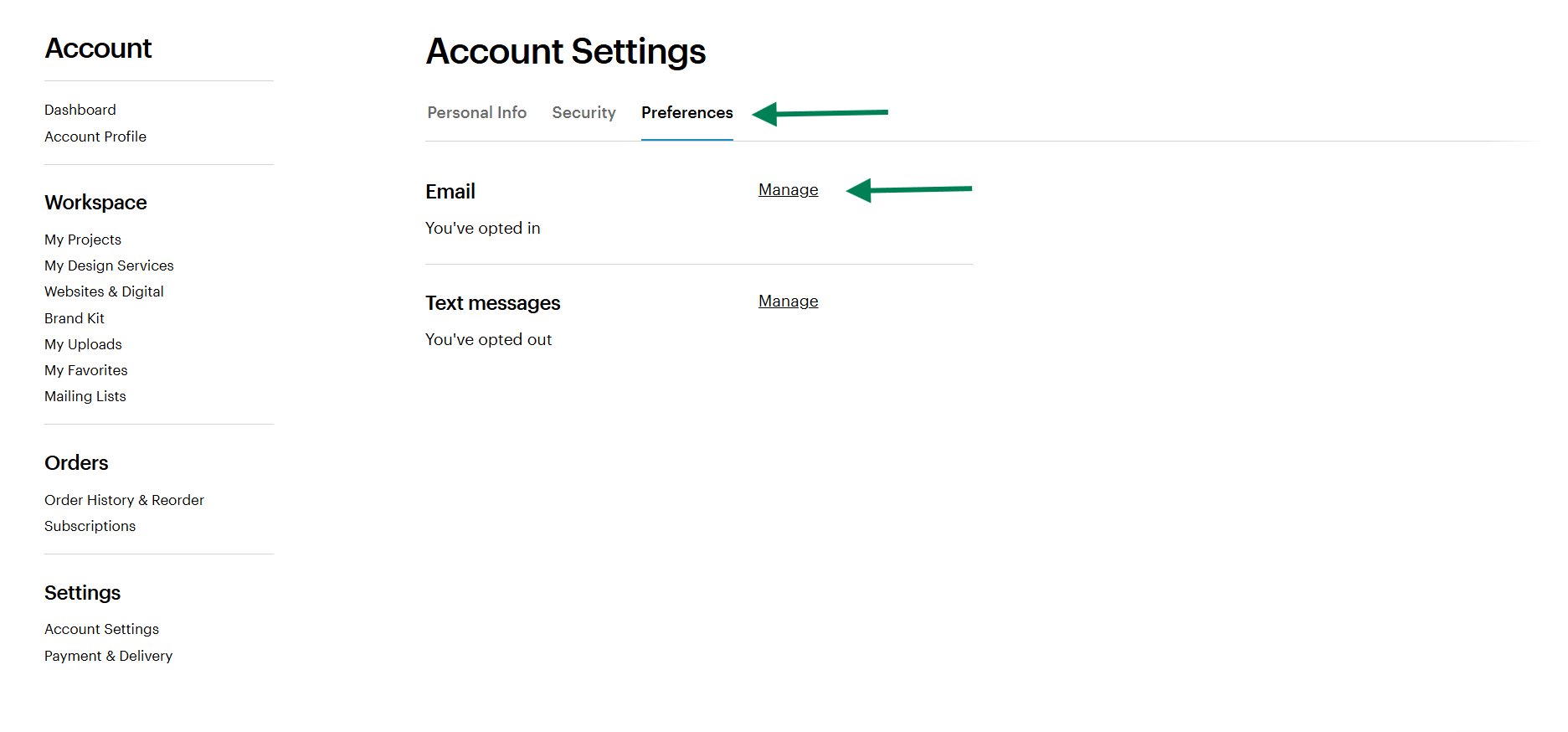
Go to Marketing preferences
Under Preferences, select Marketing preferences to find your email options.
3
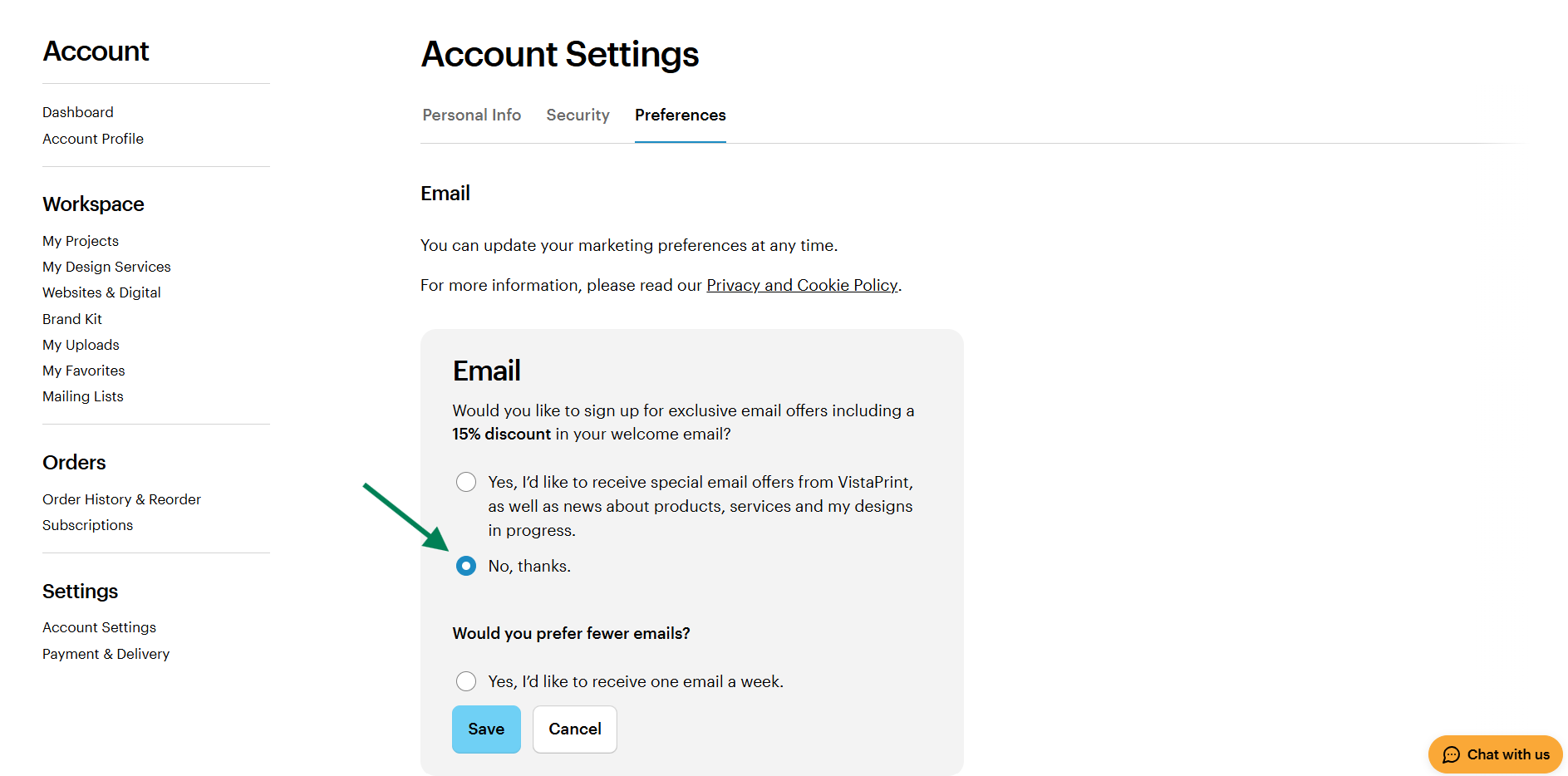
Turn off marketing emails
Choose ‘No, thanks’ to stop receiving marketing communications.
4
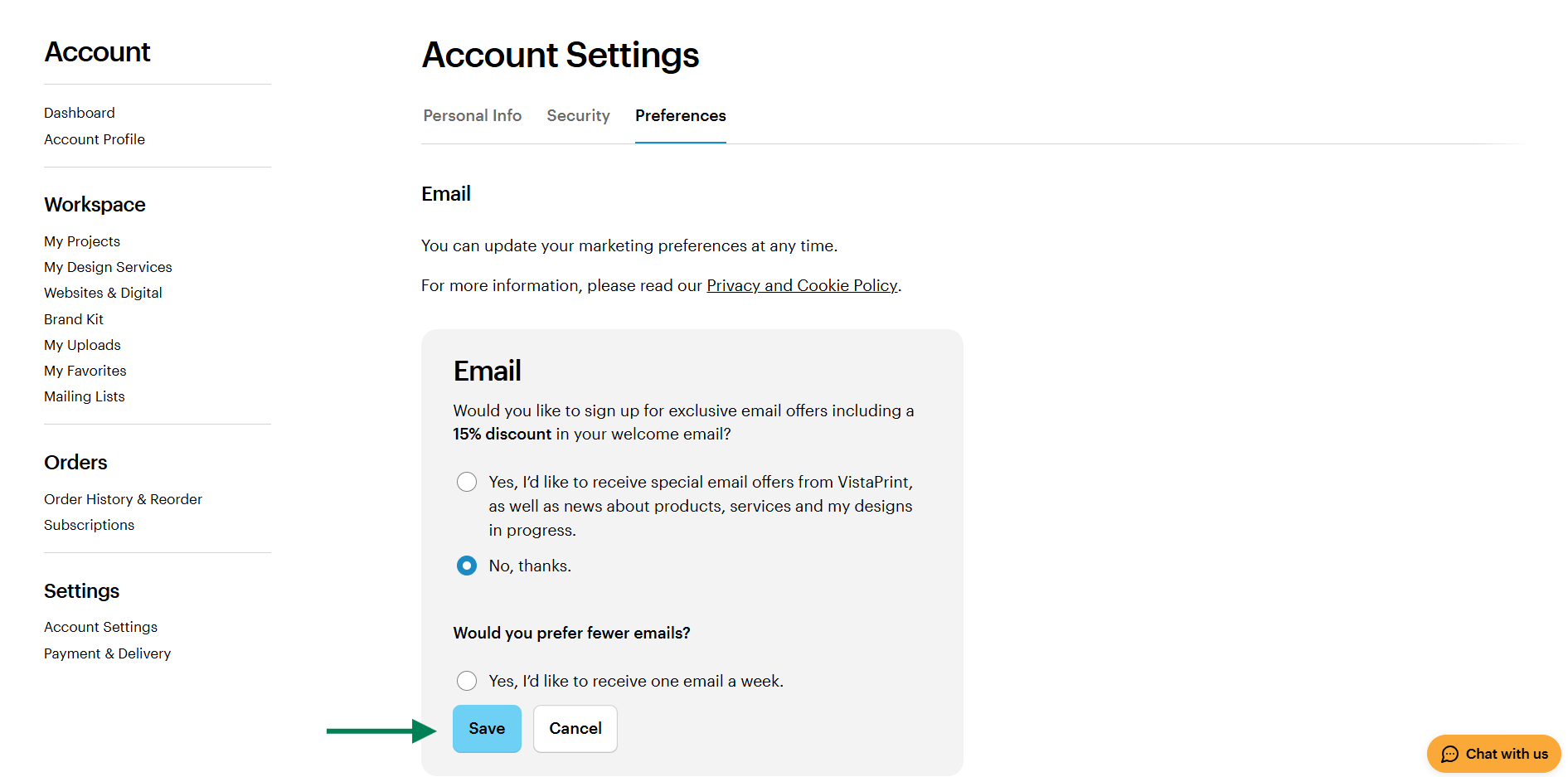
Save your changes
Select Save to update your preferences.
You'll still receive order-related emails, regardless of your marketing preferences.

