

How to redeem your domain voucher
Open your Vista x Wix Dashboard
To open your Vista x Wix dashboard, go to My Account and select Websites & Digital. Then select Manage this site for the website you want to connect a domain to.
Find your voucher
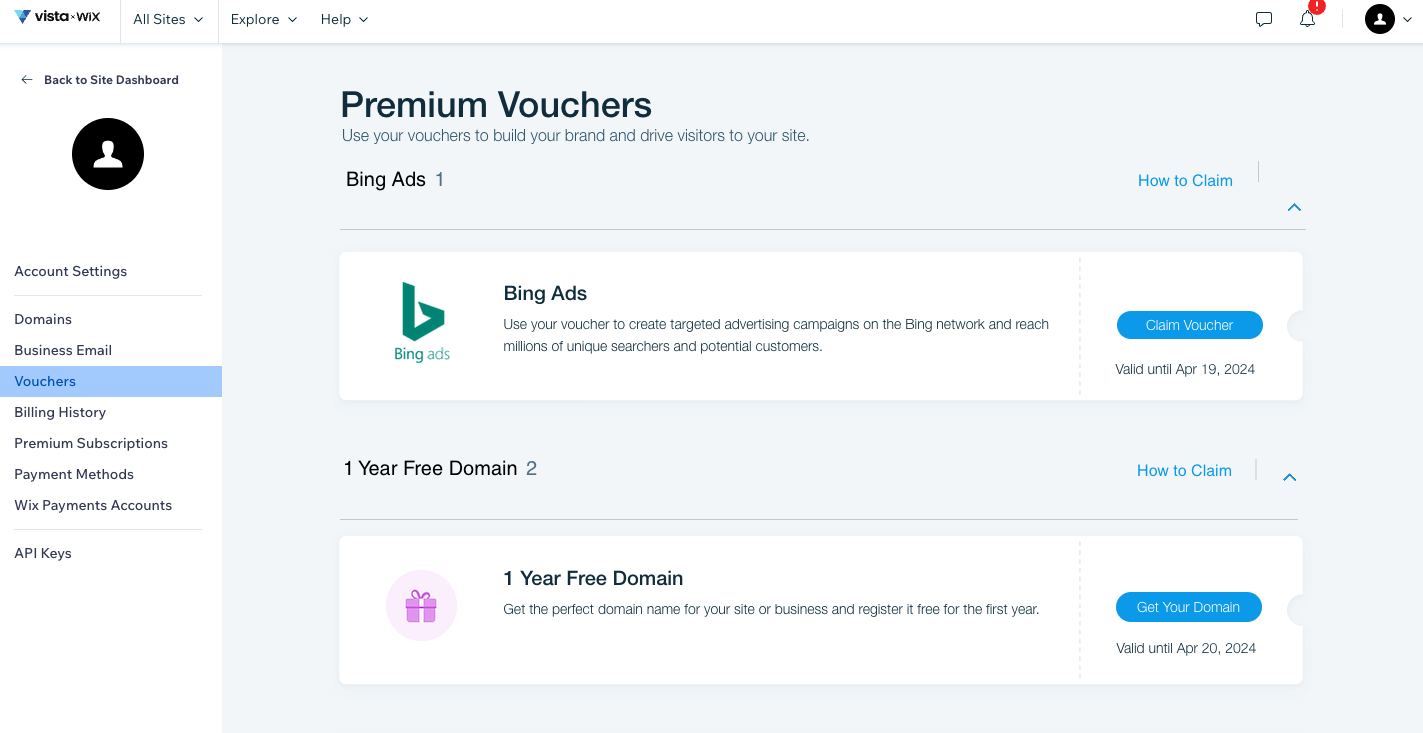
Go to the vouchers section of your Vista x Wix account to find your voucher. Select Get Your Domain to claim the voucher.
The voucher is valid for two months from the date that you purchased your Premium plan. You can find the expiration date right below the option to Get Your Domain.
Search for an available domain
Enter the domain name you want to register. The voucher works for many popular extensions like .com, .net, .org, .info, .biz, .co.uk and .de. It can only be used for new domains or transfers, not for renewals.
Select the 1-year registration period
Choose your domain from the results and select the 1-year option. You can sign up for longer periods, but the voucher only covers the first year.
Connect to the correct website
If you have multiple websites, choose the site connected to your active yearly premium plan. The voucher won't apply if you select a site on a different plan.
Select your privacy level
Public registration: This is the free option covered by your voucher. It lists you as the domain owner but uses a proxy service to hide your personal email and phone number from public spam lists.
Private registration: This is a separate, paid security service that completely removes your name and all contact details from public records. The voucher does not cover this additional fee.
Confirm your payment method
Enter your payment information. Because domain registration is a subscription service, this is required for future renewals, but you will not be charged for the domain itself today.
Submit your purchase
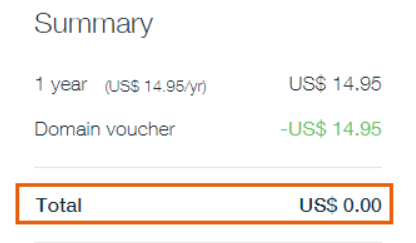
Check that the voucher has reduced the domain price to zero in your order summary and finalise the registration.

