
How do I pay with Google Pay?
Last updated 18 June 2026.
Guide
At checkout, choose Google Pay, sign in to your account and follow the prompts to confirm your payment.

Steps to pay with Google Pay

1

Go to Checkout

When you’re ready to buy, go to the checkout page.

2

Select Google Pay

Under the payment section, select Google Pay.
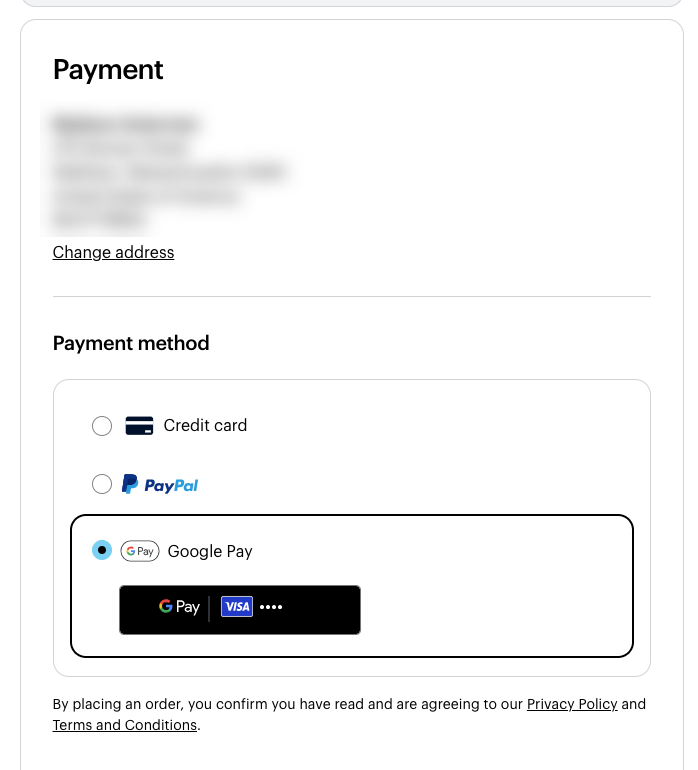
In the VistaPrint checkout, the Google Pay radio button is selected under payment method.
3

Sign in and confirm

A pop-up window will appear, prompting you to sign in to your Google Pay account. Follow the on-screen instructions in this window to confirm your purchase.
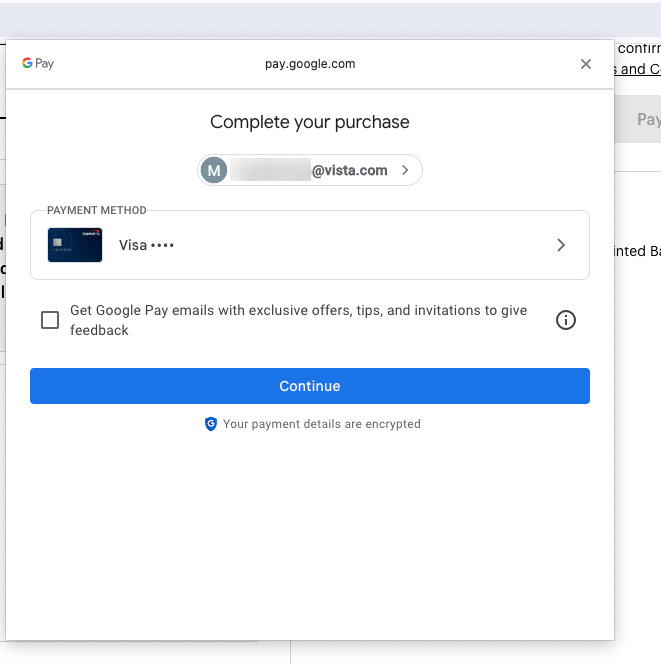
A Google Pay modal for VistaPrint shows the user's email, a selected Visa card ending and a Continue button.

Was this article helpful?
Learn how we use your feedback

Connect live with Customer Support

Need help?

Contact Us
