Steps to update your payment method
1
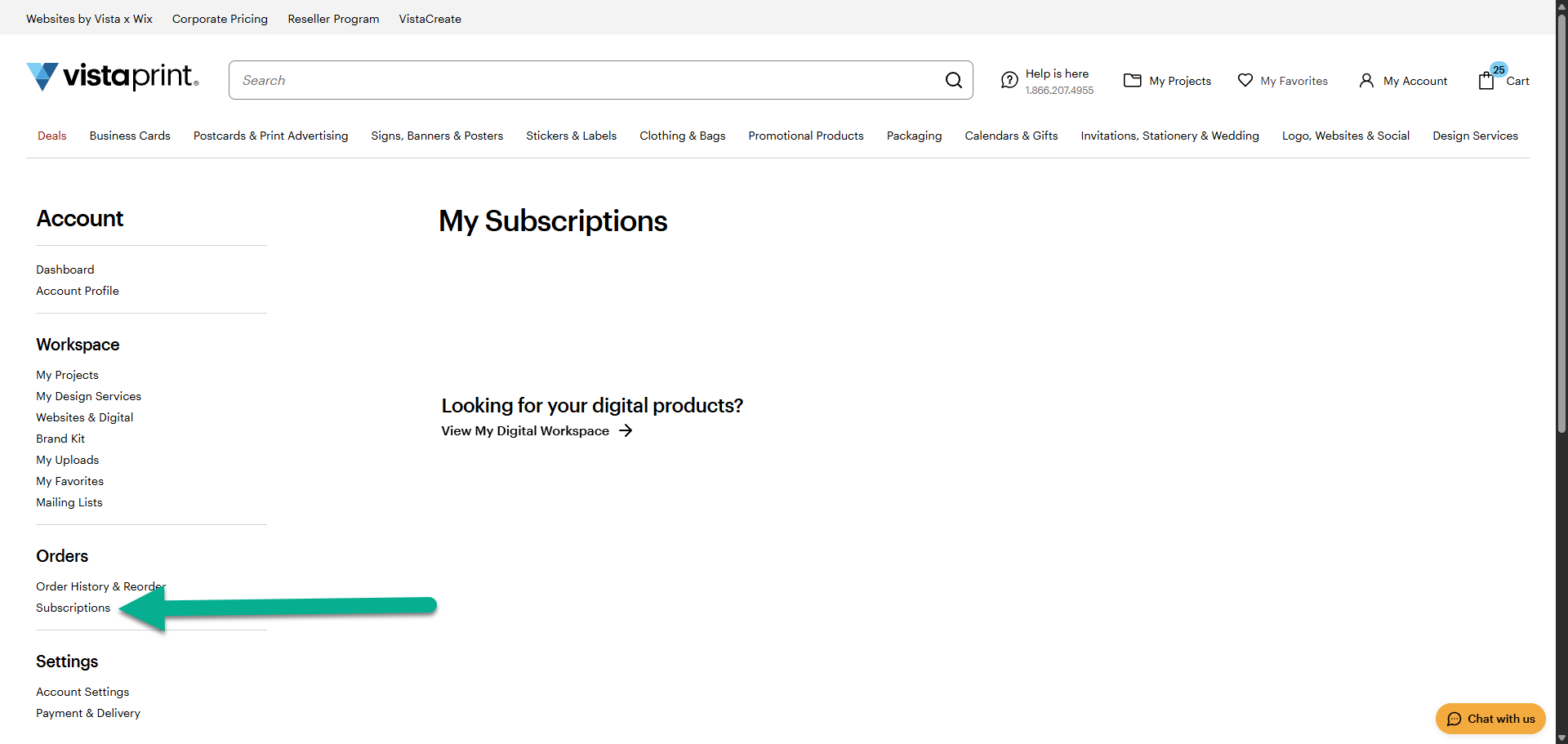
Go to Subscriptions
Select Subscriptions from the My Account drop-down menu.
2
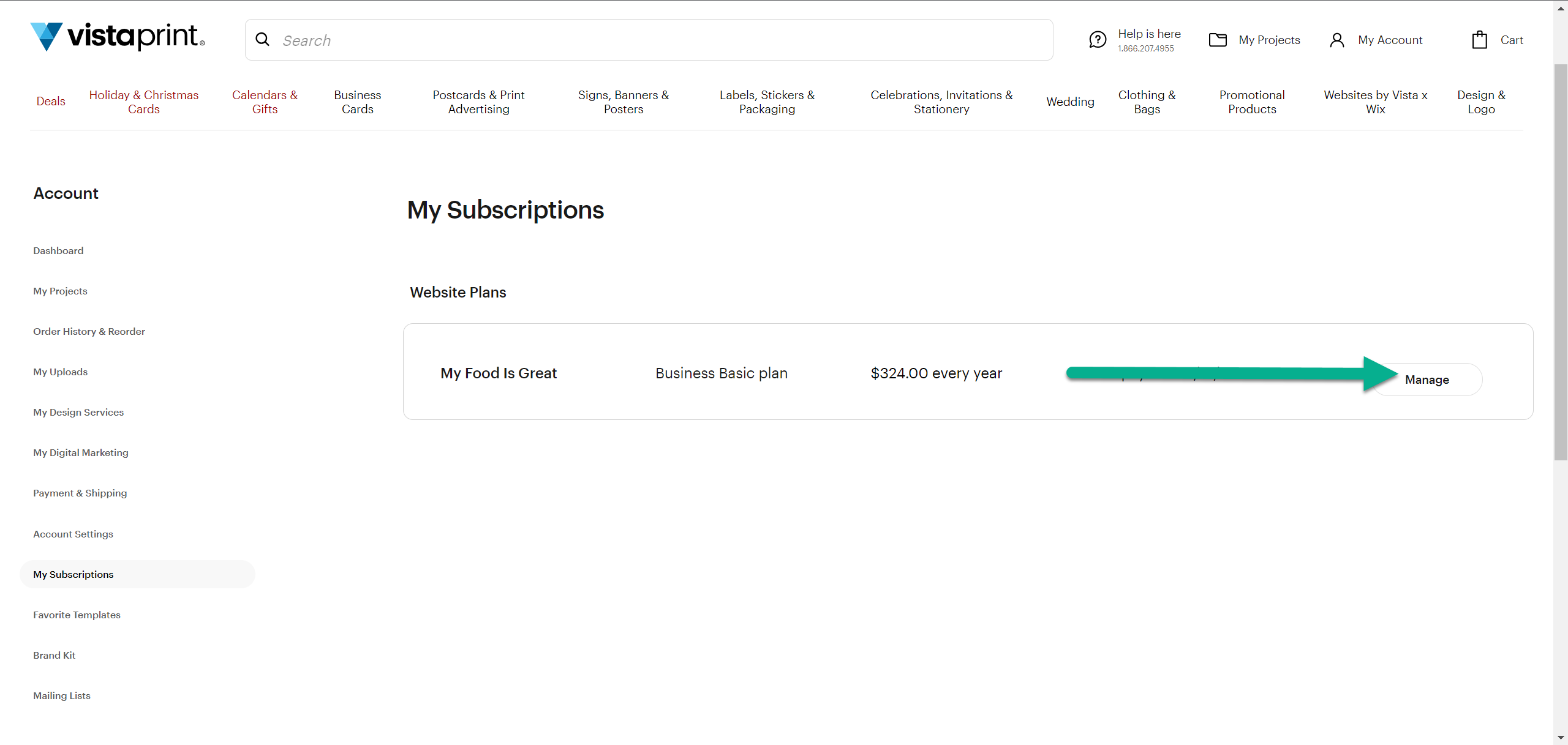
Select your subscription
Find the website subscription you want to update and select Manage.
3
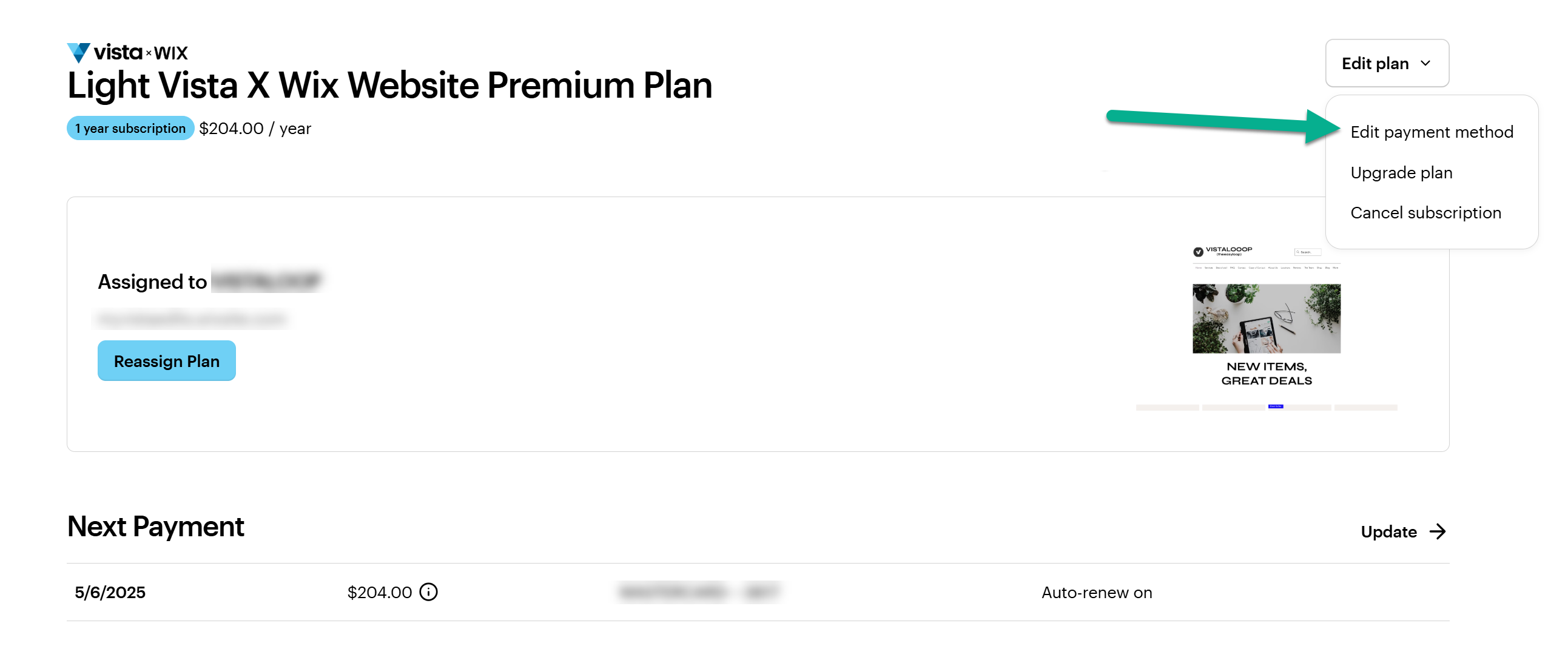
Select Update payment method
Select Edit plan at the top of the page, then select Update payment method from the menu.
4
Edit billing information
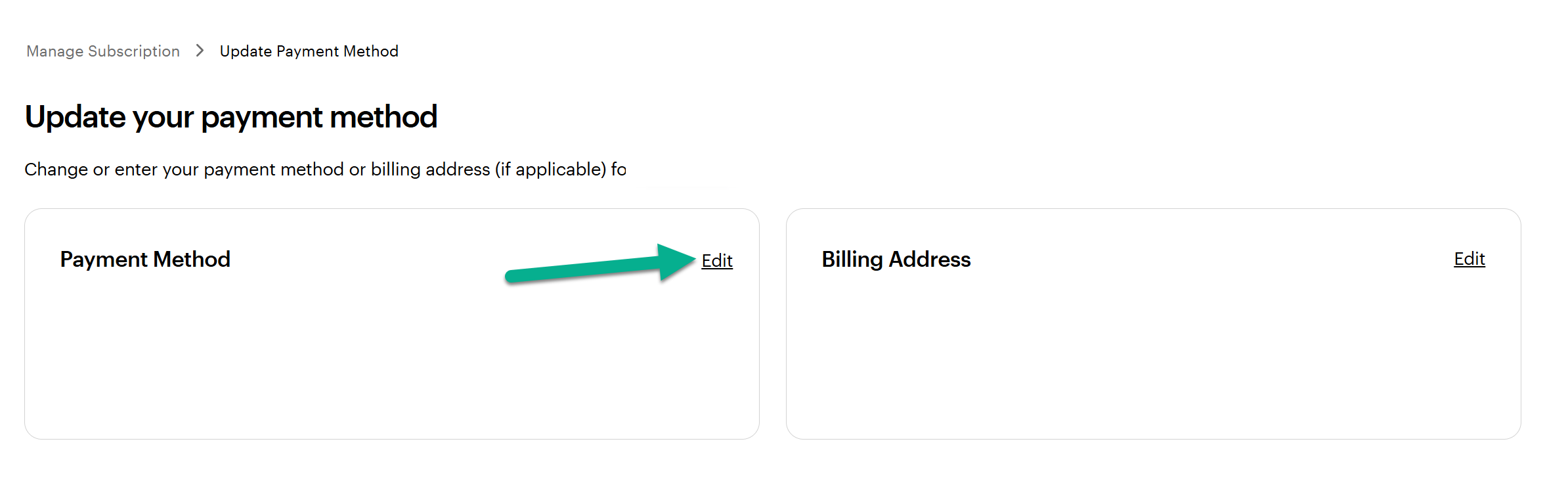
Select the Edit link within the payment method section.
5
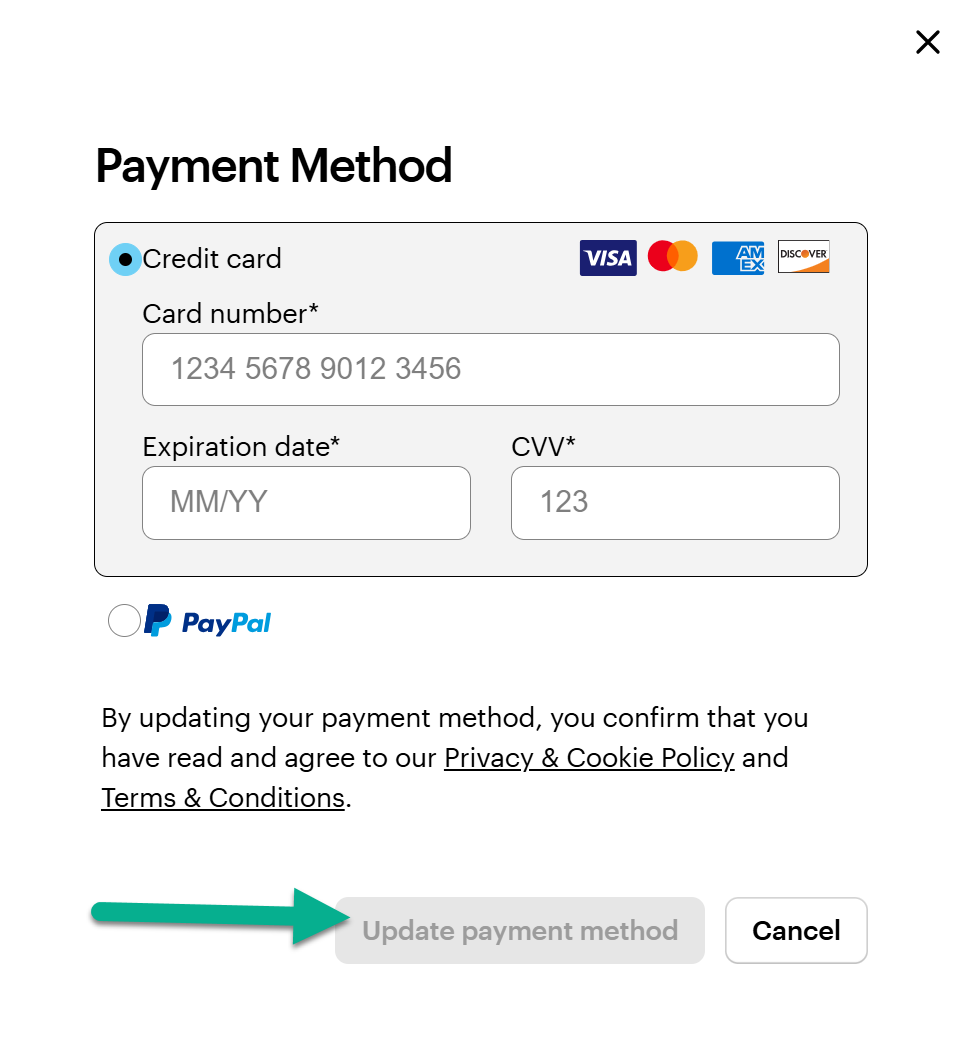
Enter new details and confirm
Choose your preferred payment method, enter your information and select Update payment method to save your changes.