Wait for your designer to officially complete the handoff process before you begin making changes in the editor.
How to edit the website
1
Go to your Digital Workspace.
Go to My Account, and select Websites and Digital to open your digital workspace
2
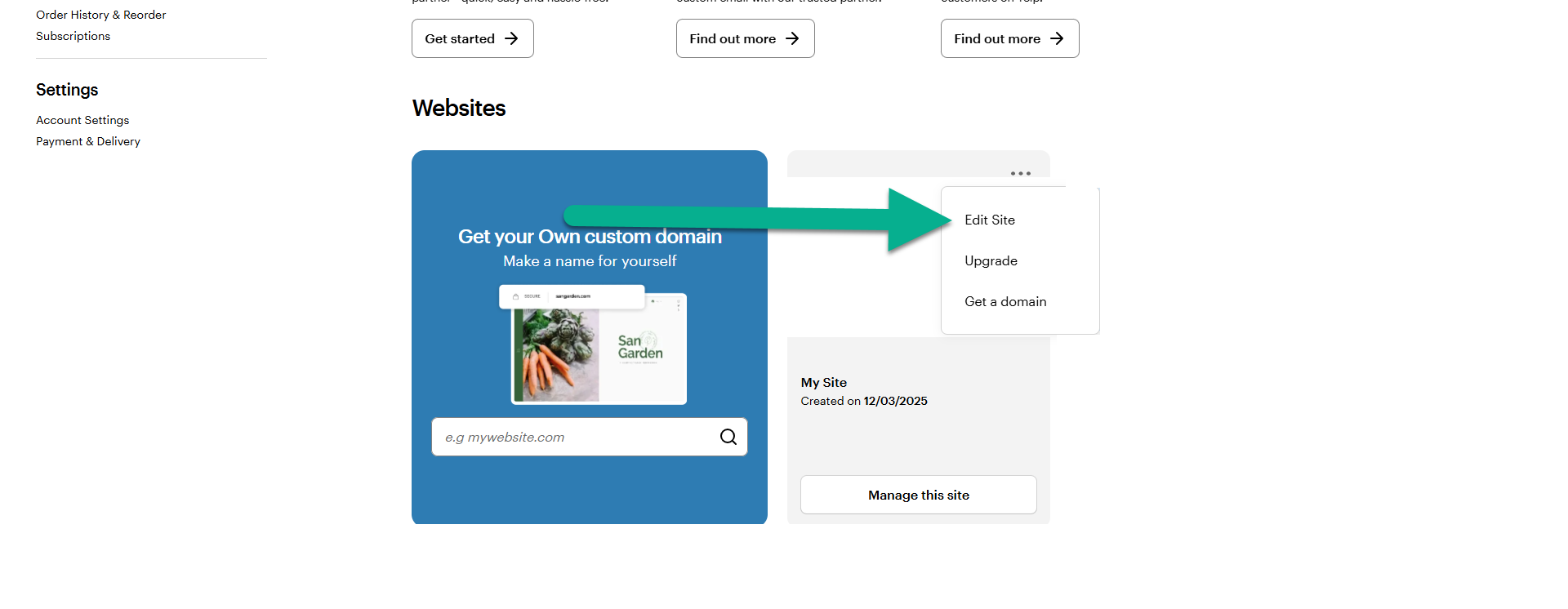
Open the three-dots menu and select Edit Site
Find your website in the overview, select the three dots by the website to open the drop-down menu and select Edit Site.