

Steps to download a logo
1
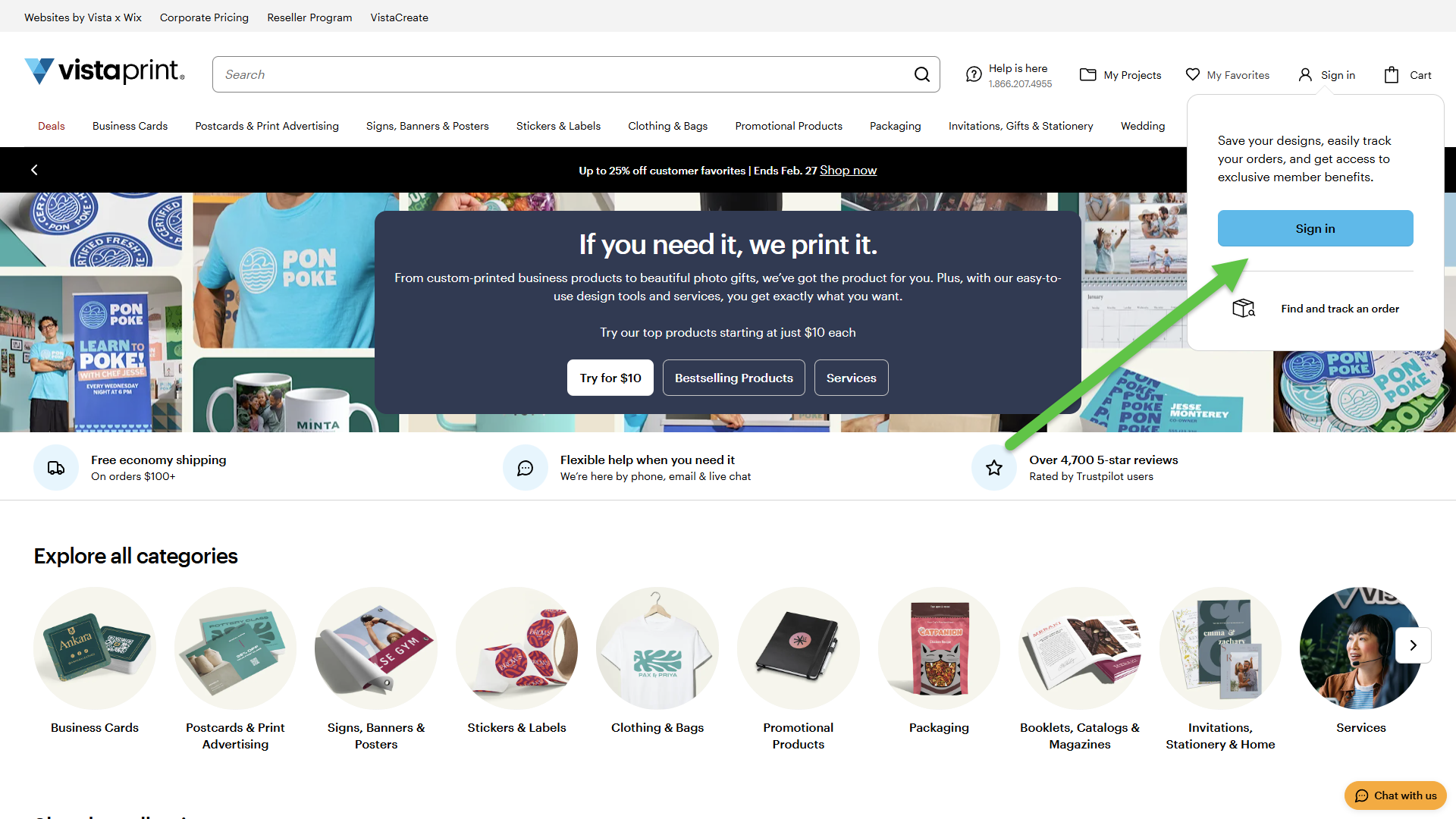
Sign in to your account
Sign in to your VistaPrint account using your email address and password.
2
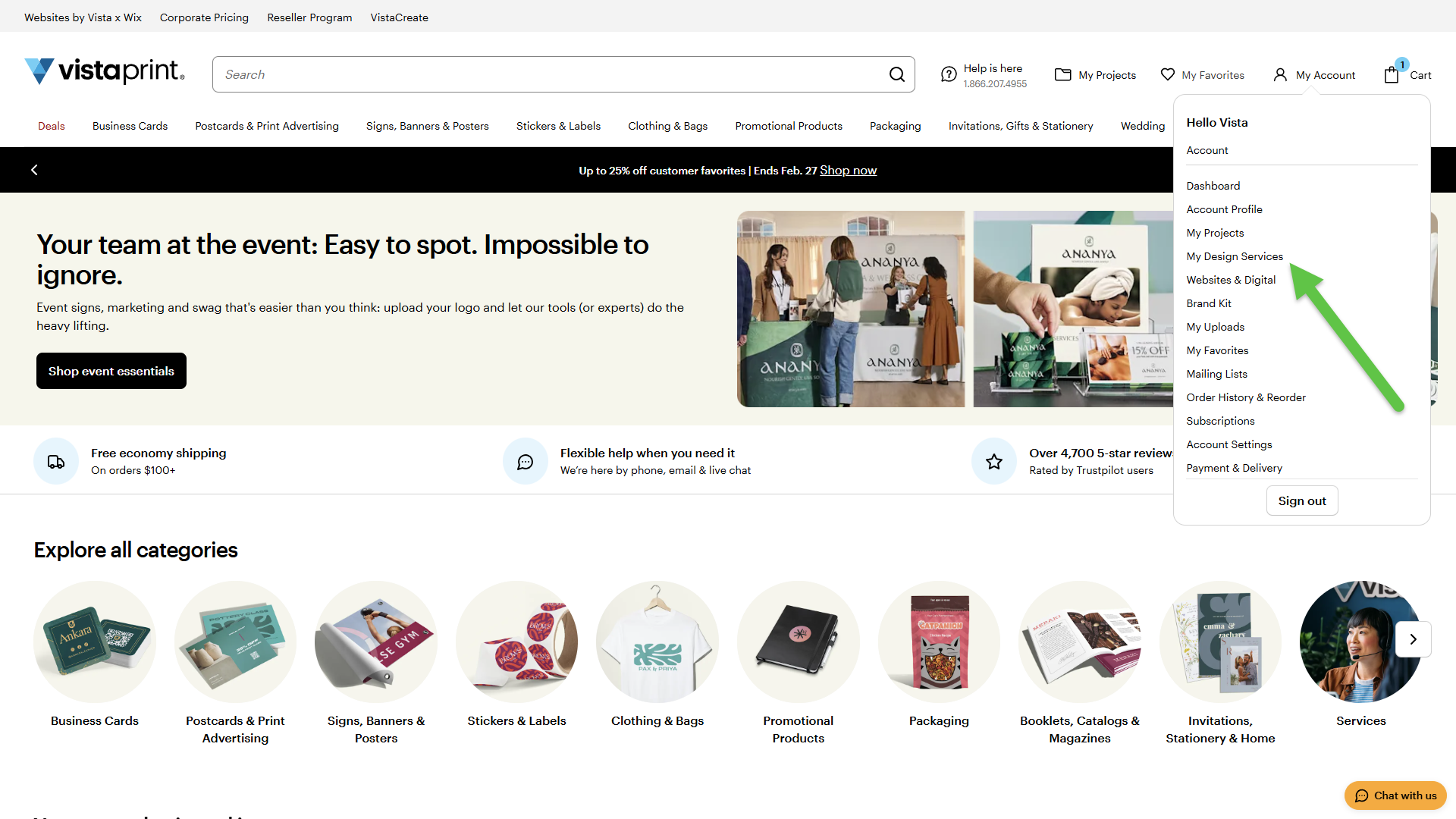
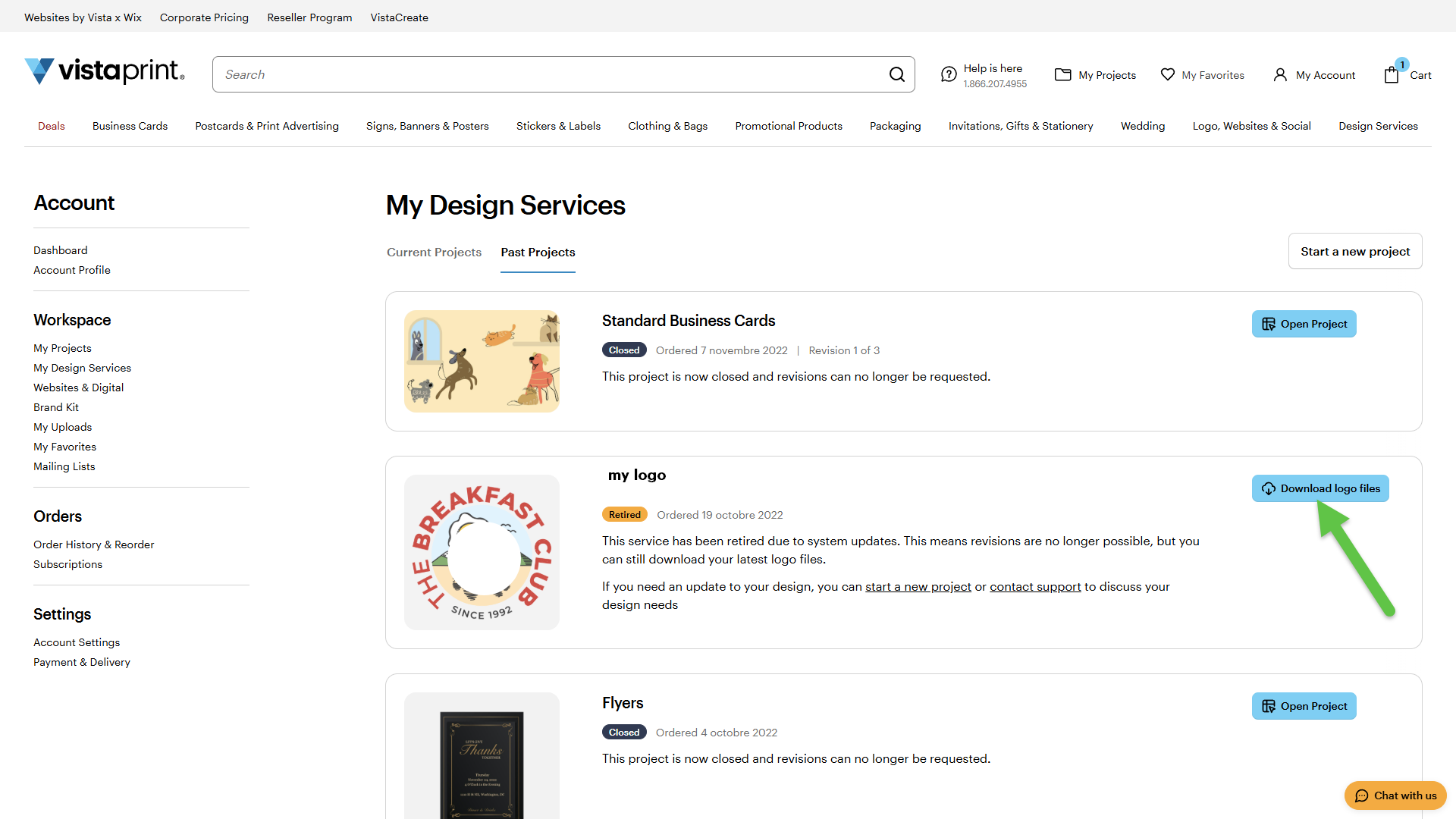
Go to My Design Services
From the top-right menu, select My Account, then choose My Design Services.
3
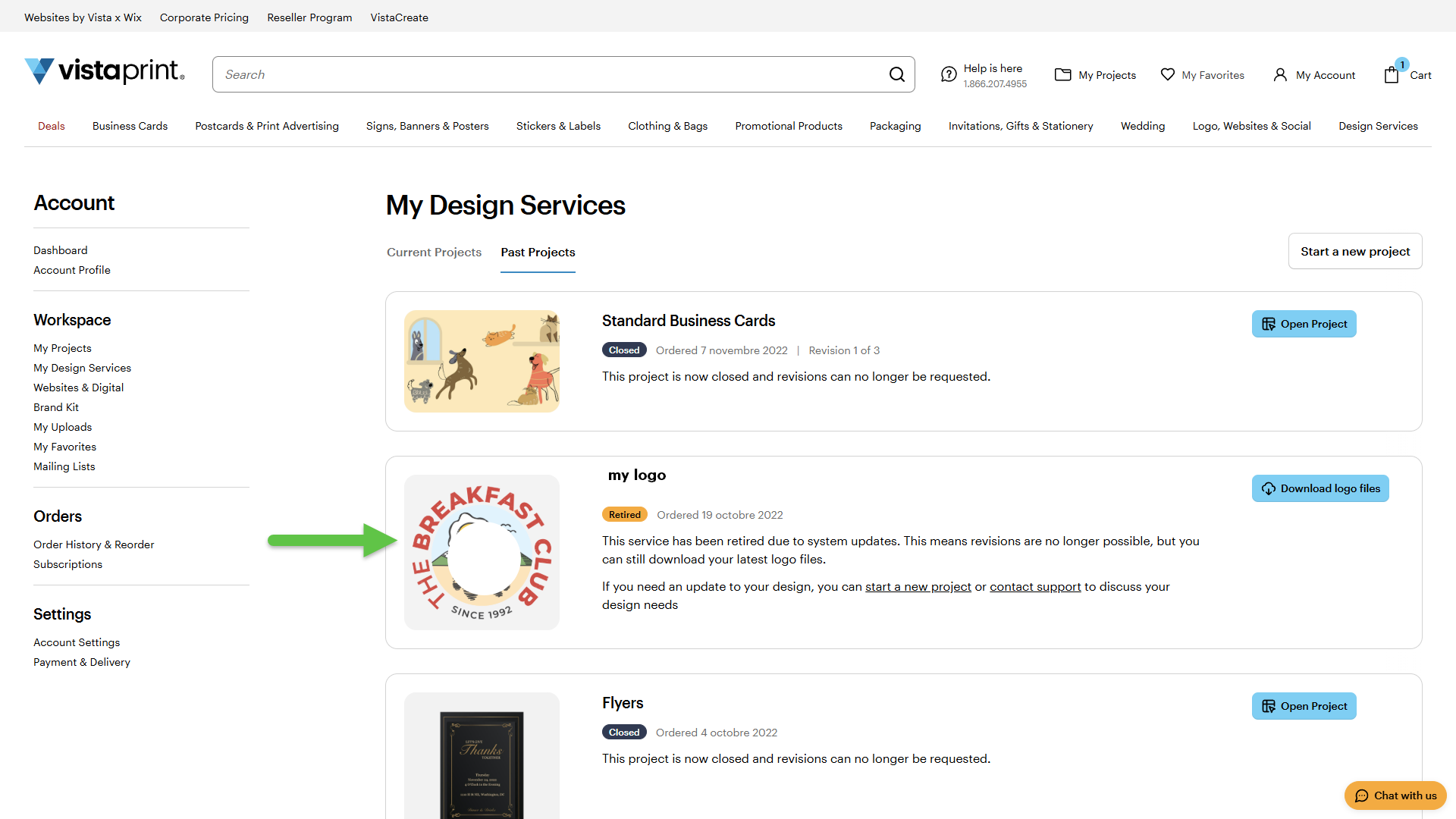
Find your logo
Browse your designs to locate the logo you want to download.
4
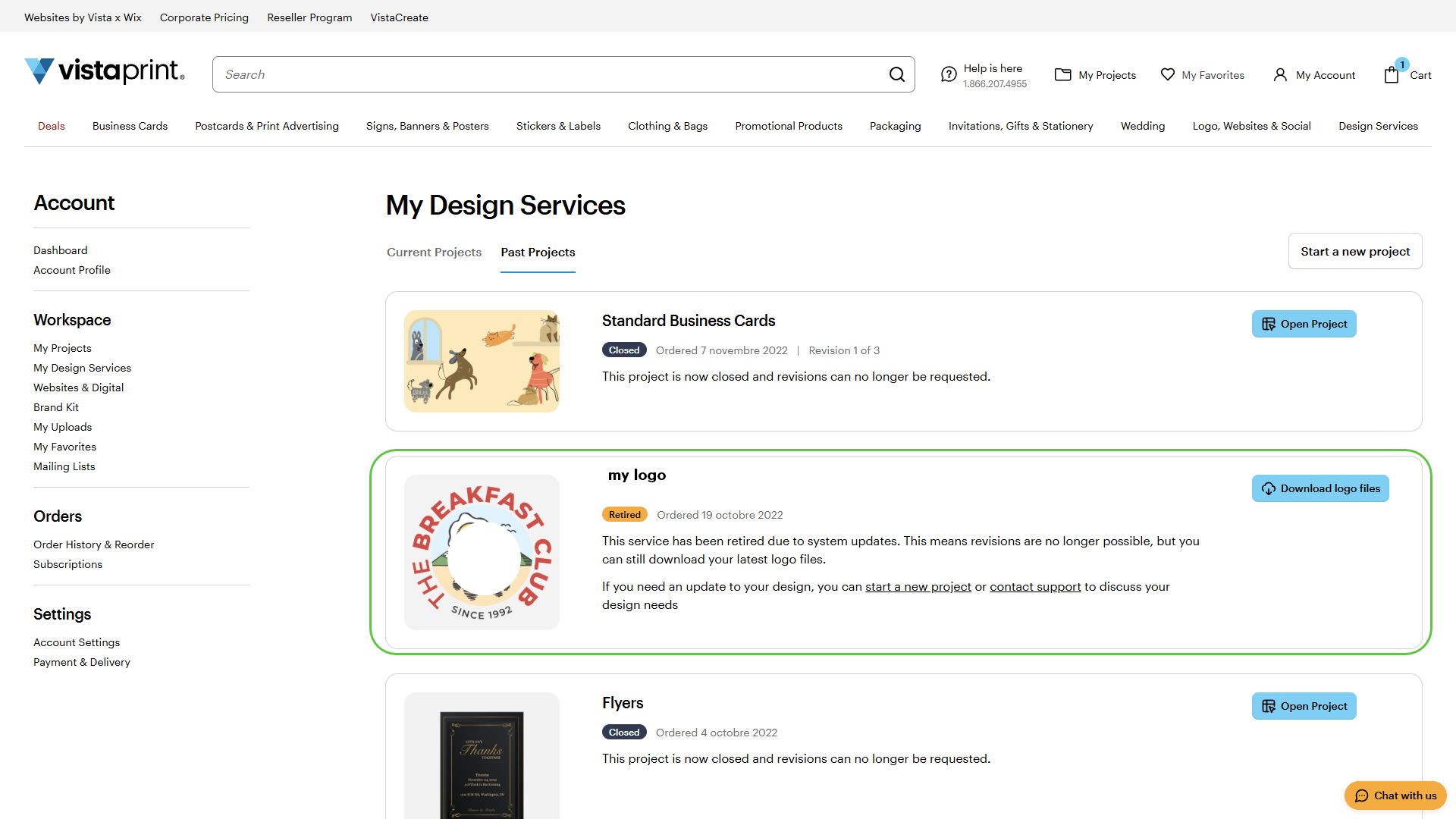
Open your design
Select your logo.
5
Download the file
Select Download logo files to save a copy to your device.
This guide applies to purchased logos only. Logos created with the AI Logomaker can be downloaded from Your Projects.

