


To cancel your website entirely, follow these steps:
1
Cancel your premium subscription
If your website has an active paid subscription, you must cancel the subscription first. Learn how in the article How do I cancel my Vista x Wix Premium subscription?
2
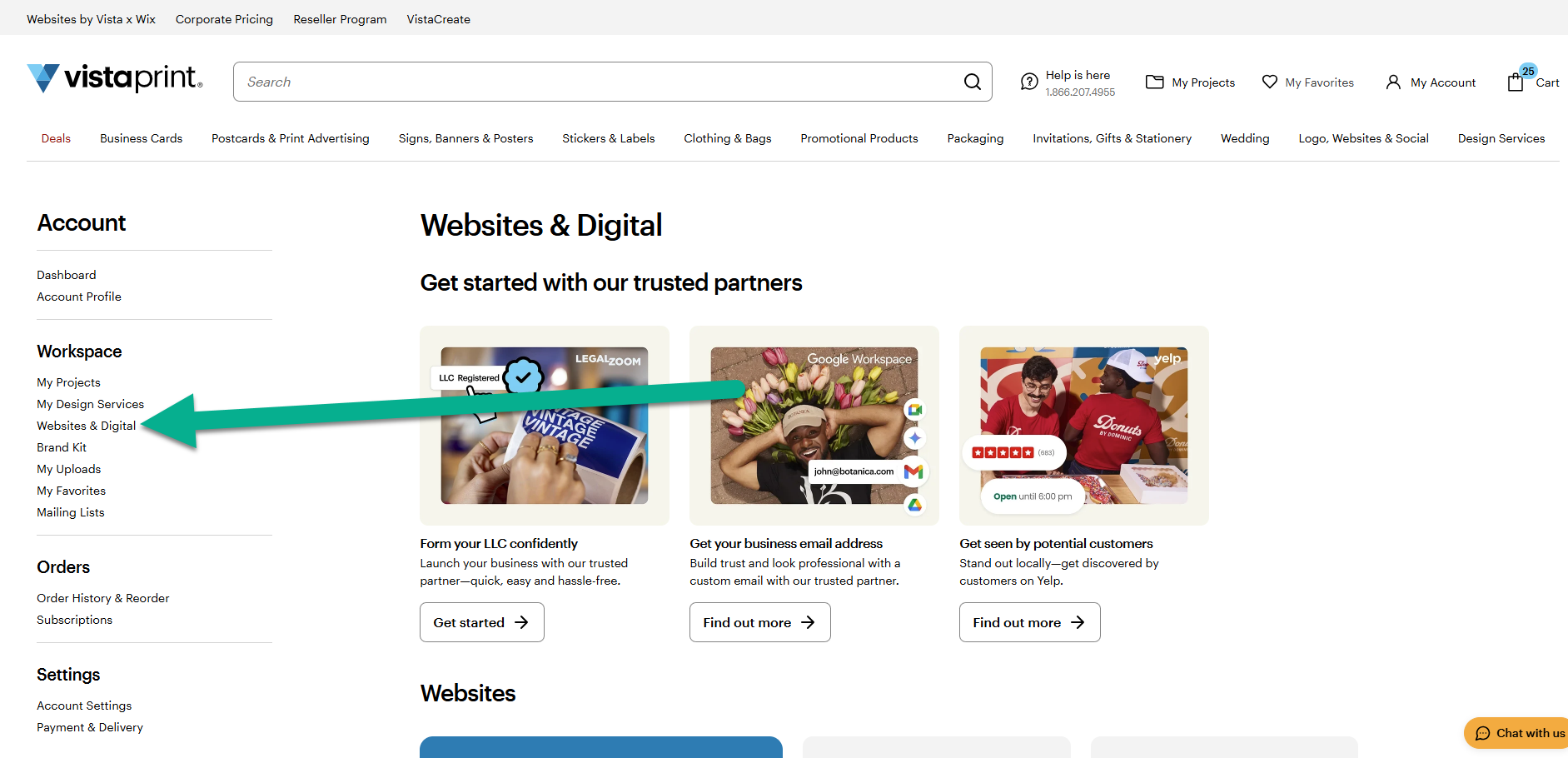
Go to your Websites & Digital workspace
Once your website is on a free plan, go to My Account and then select Websites & Digital.
3
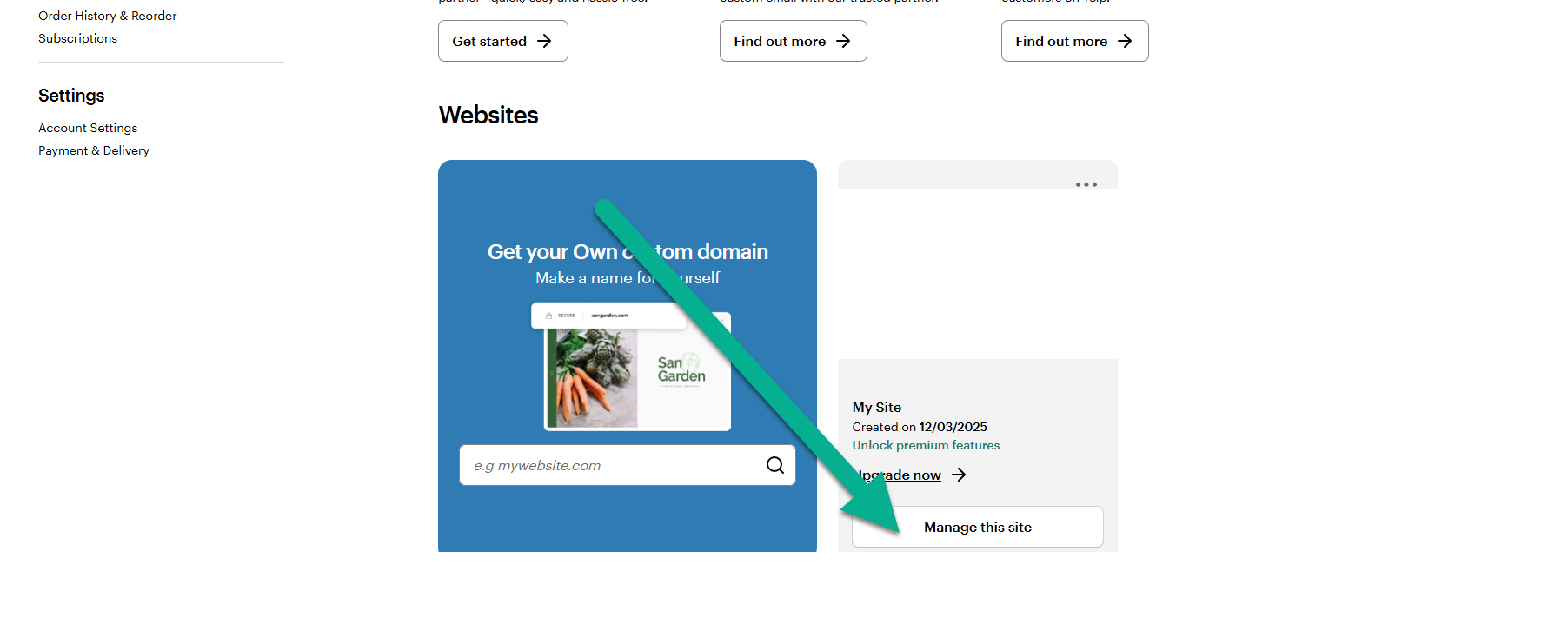
Select Manage this site
Find the website you want to remove and select Manage this site.
4
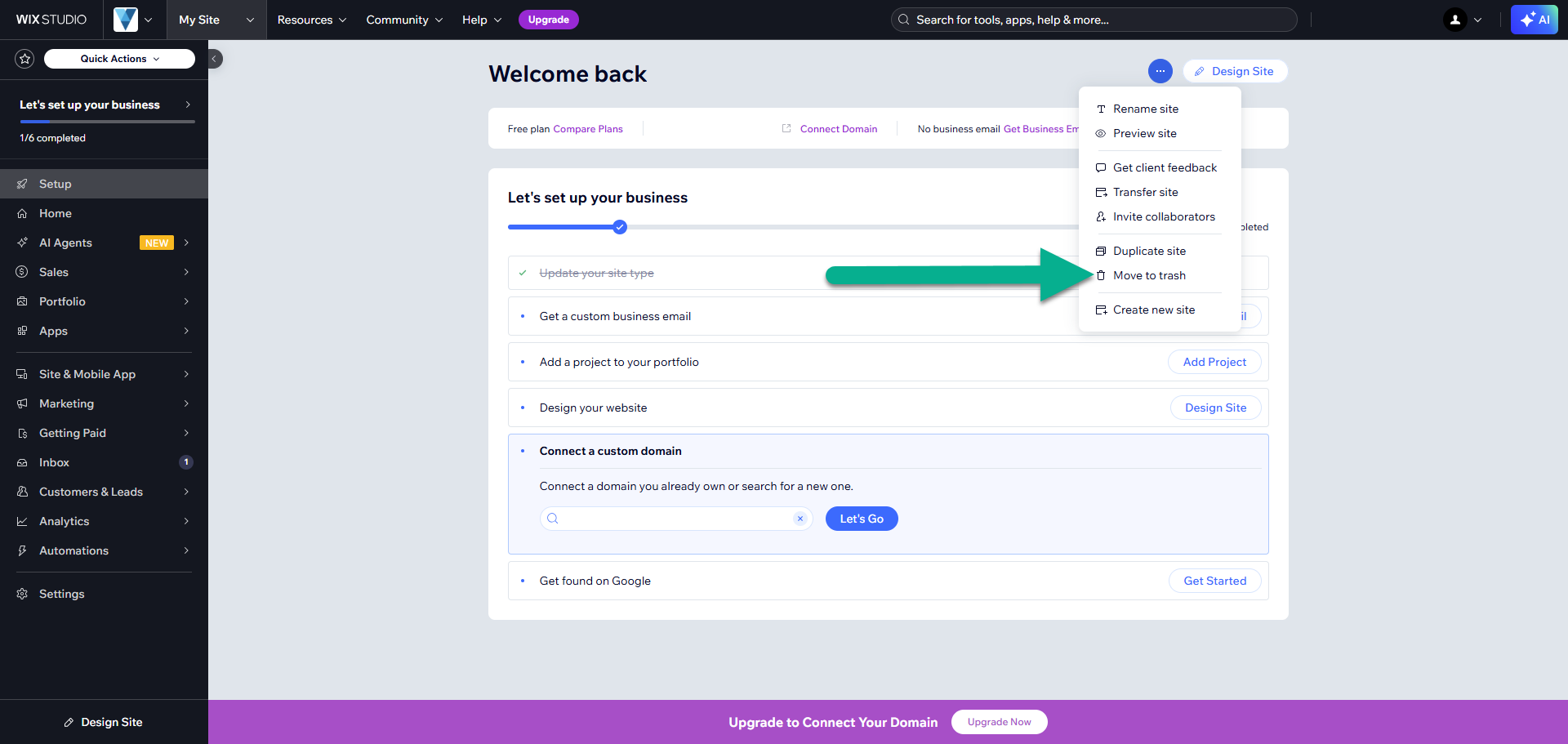
Select Move to trash
On the site dashboard, select the three dots to open the actions menu. Then select Move to trash.
5
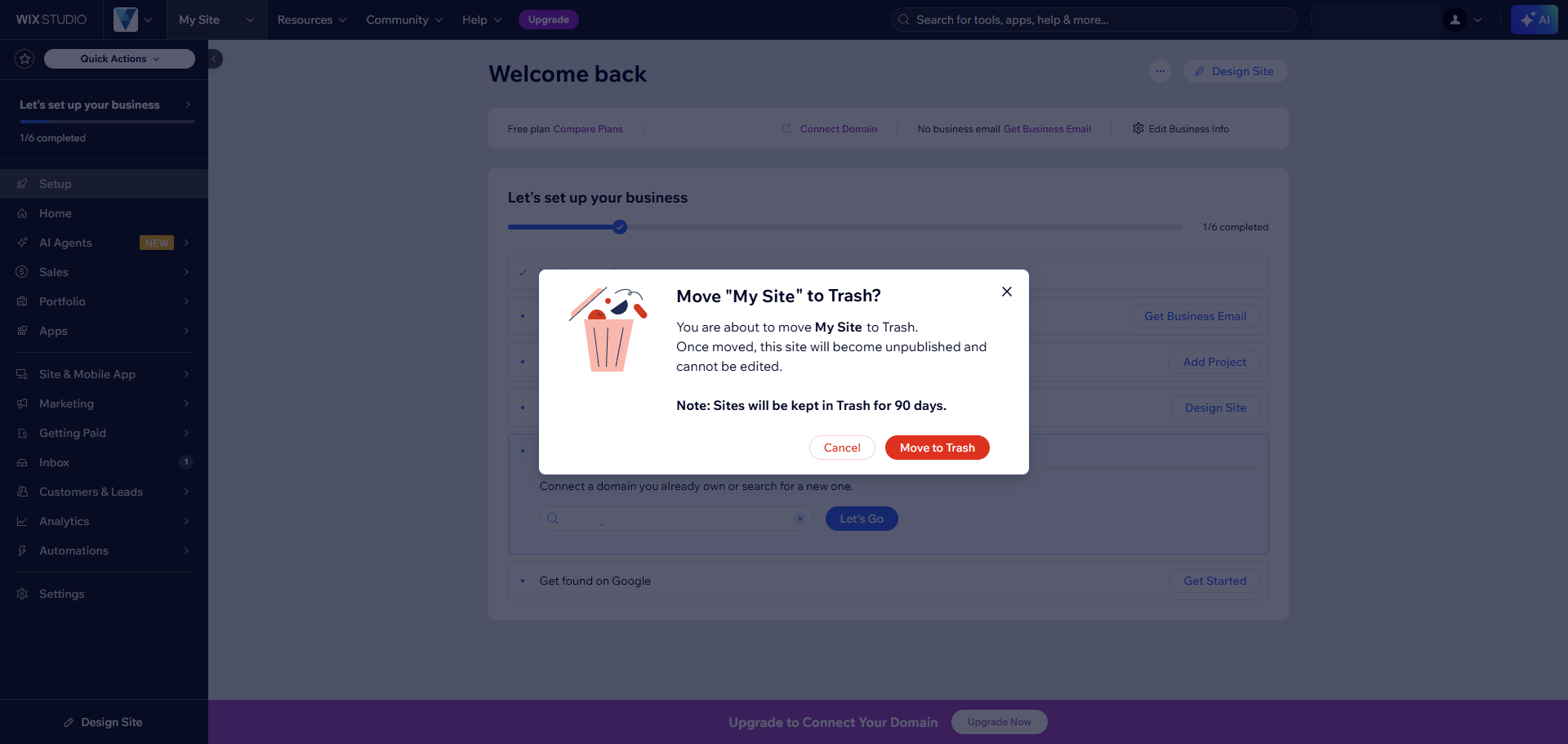
Confirm deletion of the site
On the confirmation screen, select Move to trash to verify that you want to delete the site.
If you aren't able to select Move to trash, it usually means your premium subscription is still active. Check your subscription status before trying again.
