

How to change the template colour
Select Template colour
You’ll find the button in the toolbar on the left side. When you select Template colour, a new menu appears.
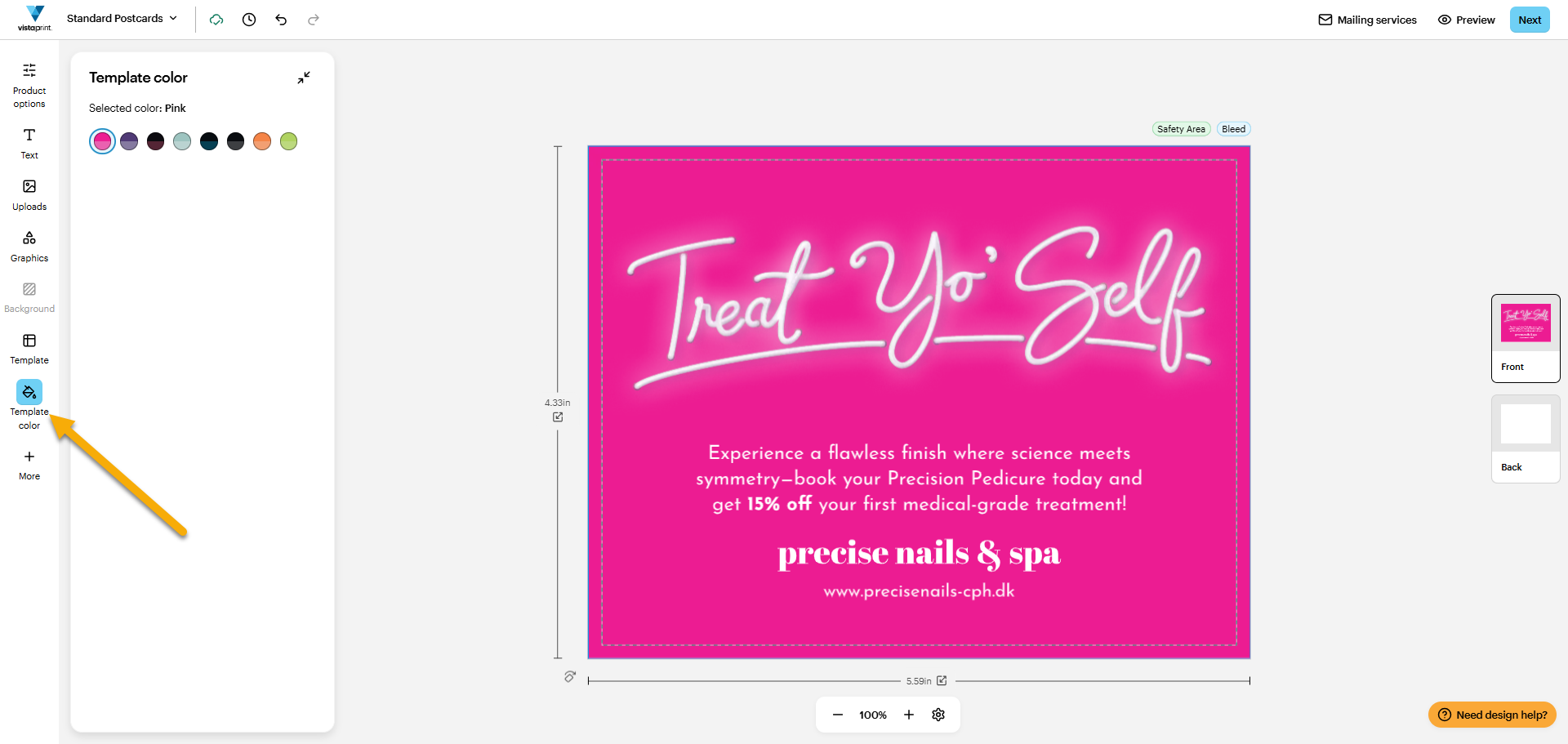
Please note the following:
If you can’t find the Template colour button, select More at the bottom of the toolbar. A menu pops up with the Template colour button.
If you’re designing a clothing product, select Material options at the top of the toolbar instead.
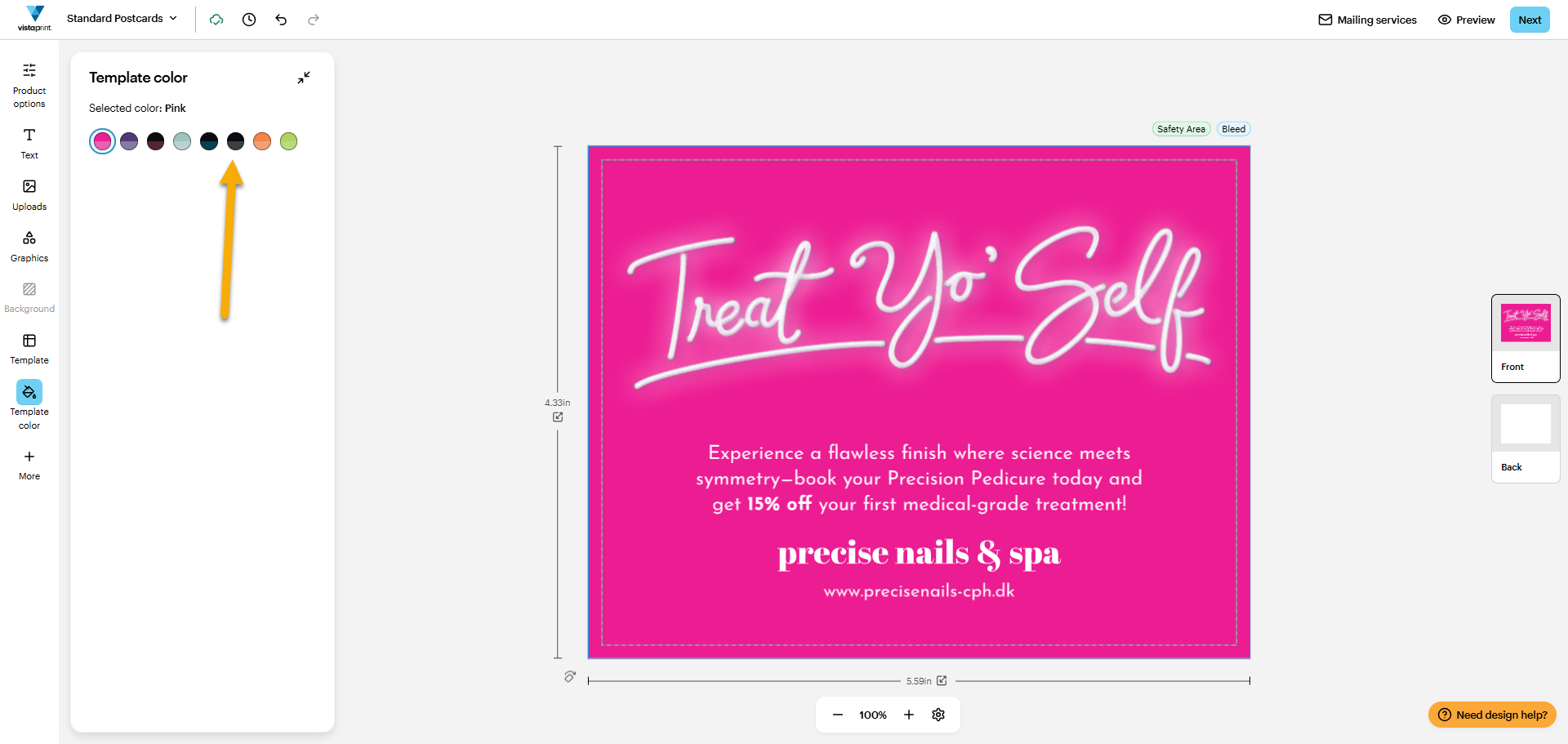
Choose your template colour
You’ll find the template colour options in a menu on the left. Select the one you want.
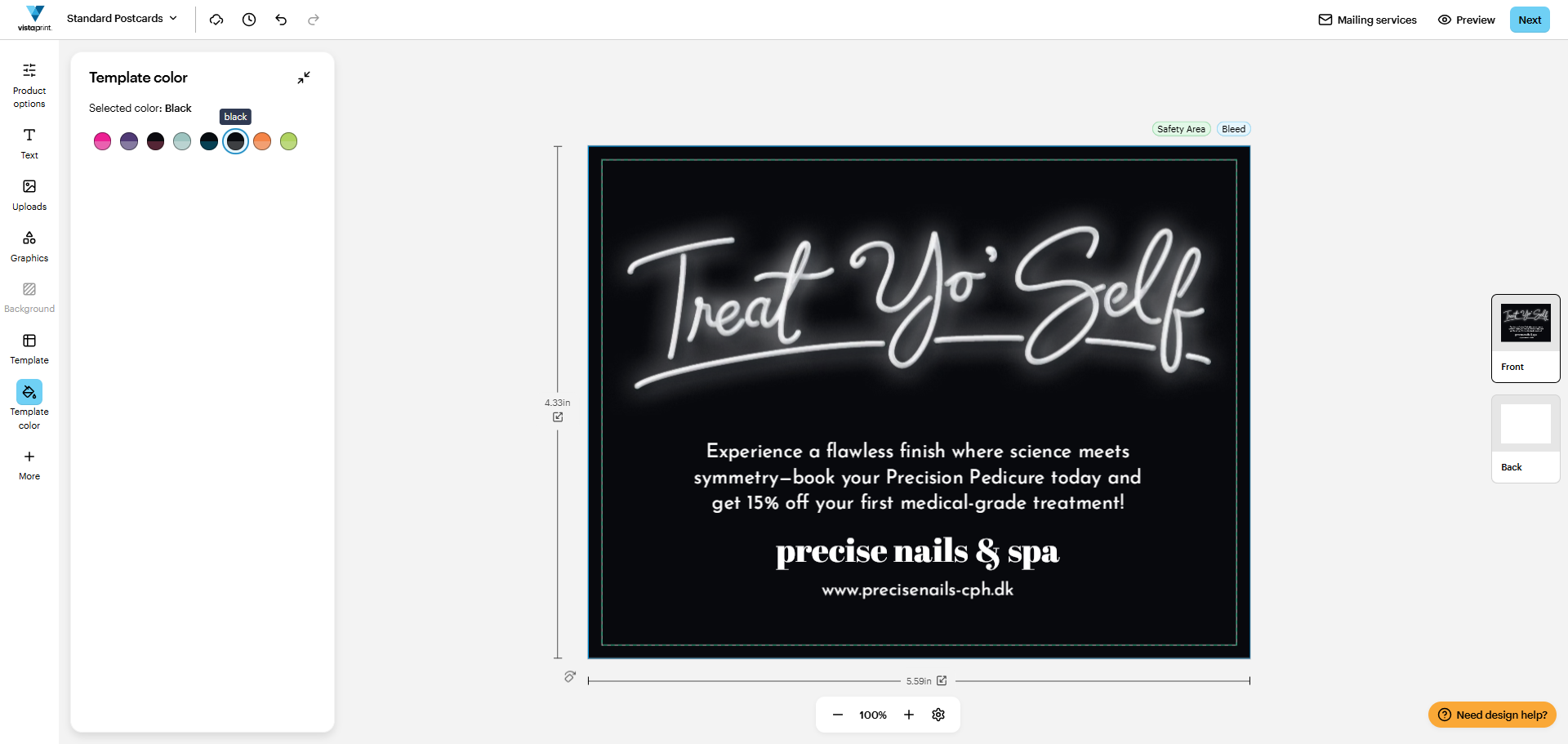
Review your colour choice
The Studio will update the design immediately. Feel free to try out several colours.
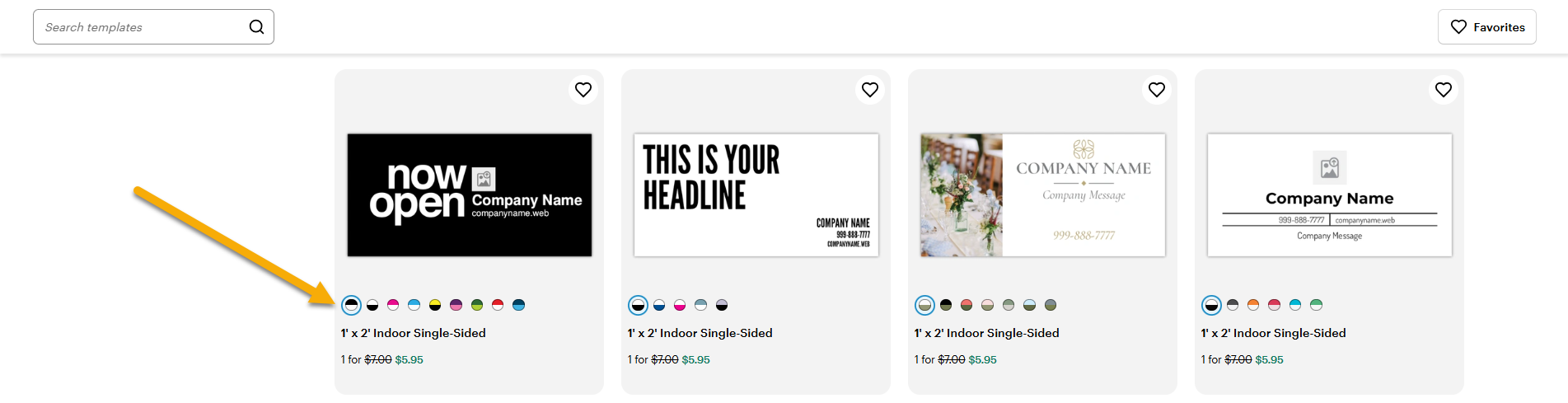
How do I know if I can change the colour of the template?
Most templates include multiple colour options. In the gallery, coloured circles appear below templates that support colour changes. Select a circle to preview the template in that colour.
Still struggling? Contact us!
We’ll gladly help you! Select Need design help? in the bottom right of the design studio or contact us by phone or email.

